Manage regions
Overview
A region is a reusable group of countries or territories. You can use regions in pricing, shipping, marketing, and reporting configurations.
In SCM, go to Configure > Tools > Regions.
View regions
The Regions page lists the regions available for the selected client account.
The table includes the following columns:
- Region ID: Unique identifier assigned to the region.
- Name: Descriptive name of the region.
- Date created: Date when the region was created.
- Date modified: Date of the most recent update.
- Created by: User who created the region.
- Last modified by: User who last modified the region.
To show or hide optional columns, select Manage columns.
Add a region
-
On the Regions page, select Add region.

-
Enter a name for the region.
-
Select the countries or territories to include.
Selecting a parent location also selects all locations below it. For example, selecting Africa selects all available locations in Africa.
A check mark indicates a fully selected location. A square indicates that only some of its sublocations are selected.
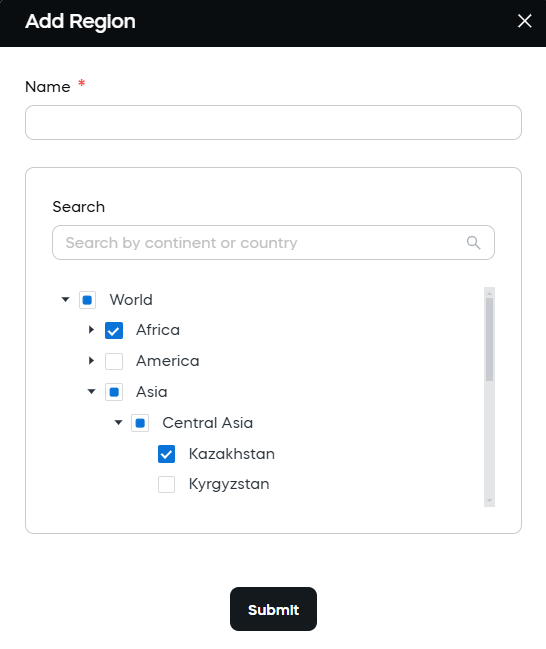
Use the search field to find a country or territory.
-
Select Submit.
Find regions
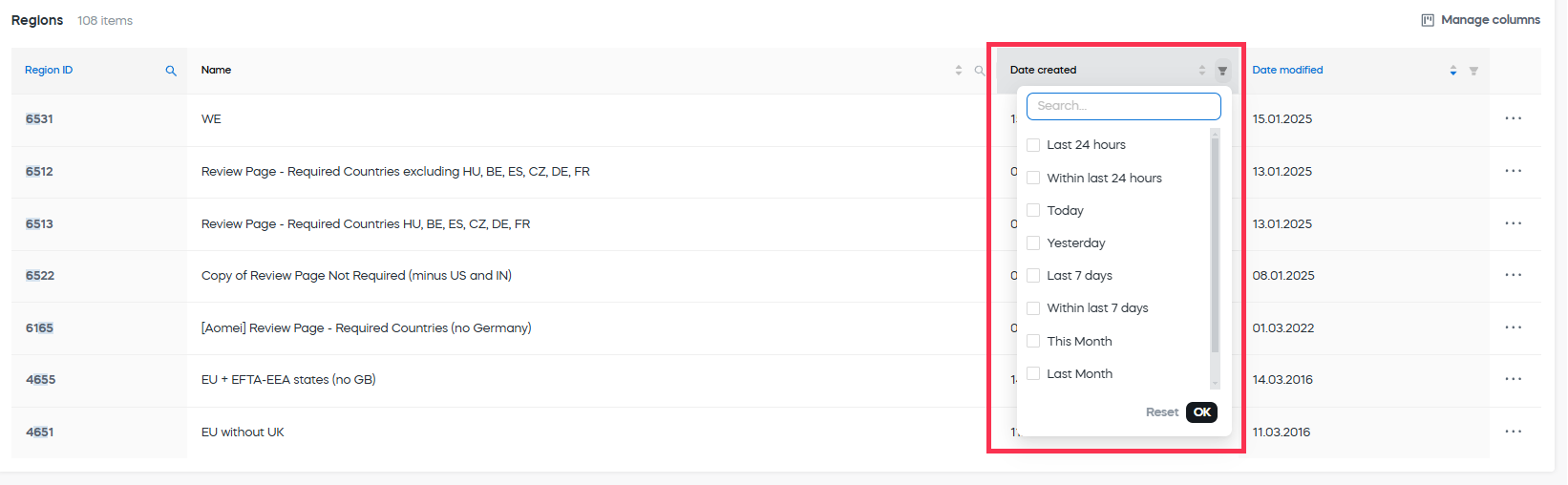
Use the controls in the table headers to:
- Search by Region ID or Name.
- Filter by Date created or Date modified.

Manage a region
Open the ... menu for a region to access the following actions:
- View details: Opens the selected region and its settings.
- View referring: Shows the configurations that reference the region.
- Create copy: Creates a new region with the same locations and settings.
- Delete: Removes the selected region.
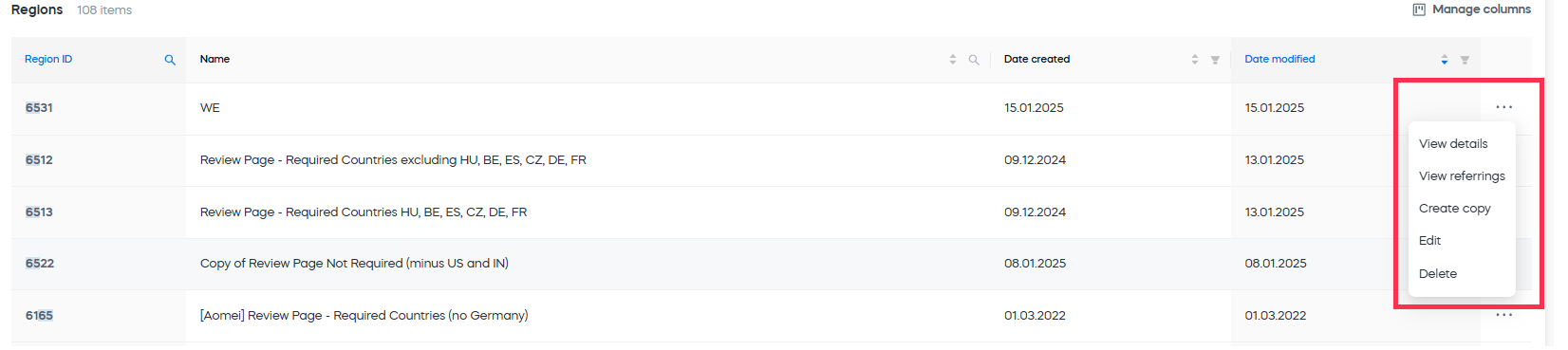
Before deleting a region, use View referring to check whether other configurations use it.