Quick start guide for Business Intelligence
First open BI from SCM. After BI opens, create and run reports as usual.
To create your first report:
-
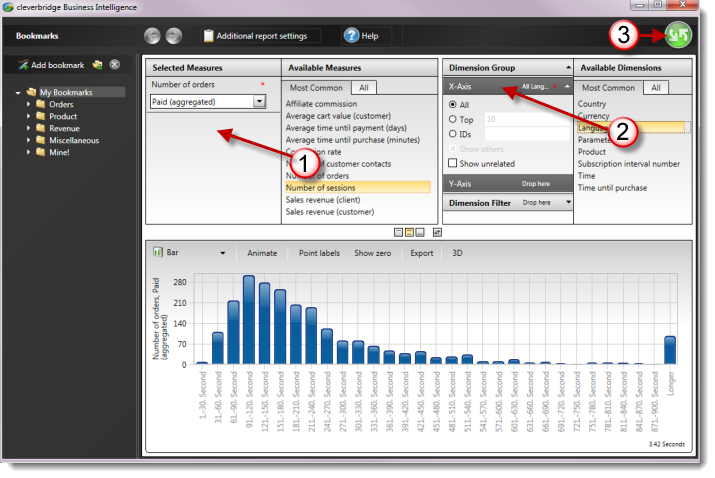
From Available Measures, drag a measure to Selected Measures. A measure is the value you want to analyze, such as sales revenue or number of orders.
-
From Available Dimensions, drag a dimension to an axis in the Dimension Group section. A dimension groups the values, for example by time, product, or country.
-
Select the green Run button.
To send the F5 shortcut to BI, open FN Keys in the Amazon WorkSpaces Applications toolbar and select F5. See the BI Session toolbar guide for more detail.
To filter, format, bookmark, schedule, or export the report, continue with Configure and manage reports. You can also browse the measure reference and dimension reference.