Global header
The global header is at the top of the Business Intelligence (BI) application window, below the separate Amazon WorkSpaces Applications session toolbar. It has a title bar and a header bar.
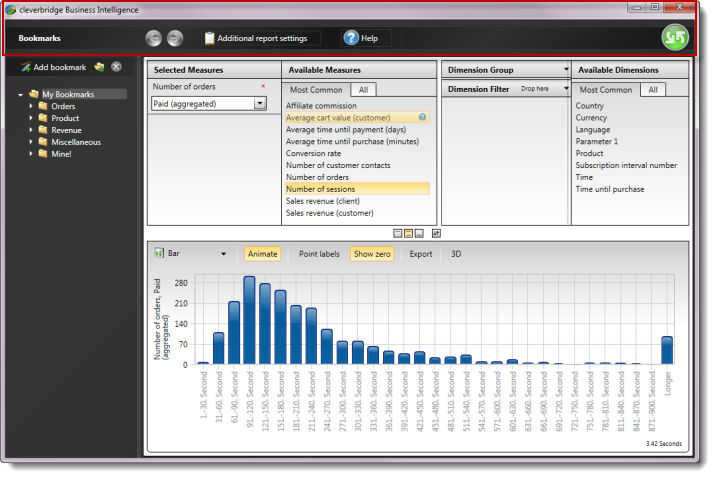
Title bar
The BI title bar contains:
- The Business Intelligence logo, which you can double-click to close the BI application.
- Buttons to minimize, maximize, or close the BI application window.
These window controls affect BI, not your Amazon WorkSpaces Applications sign-in. To end the remote session, use User menu > Log out in the session toolbar.
Header bar
The BI header bar provides:
Select Run to execute a report. If you prefer the F5 shortcut, use FN Keys > F5 in the Amazon WorkSpaces Applications toolbar instead of relying on your local keyboard. For detailed report steps, see Configure and manage reports.