Workspace
The workspace is the main area of Business Intelligence (BI). Use it to configure reports, run them, and examine their results. The configuration pane is above the results pane.
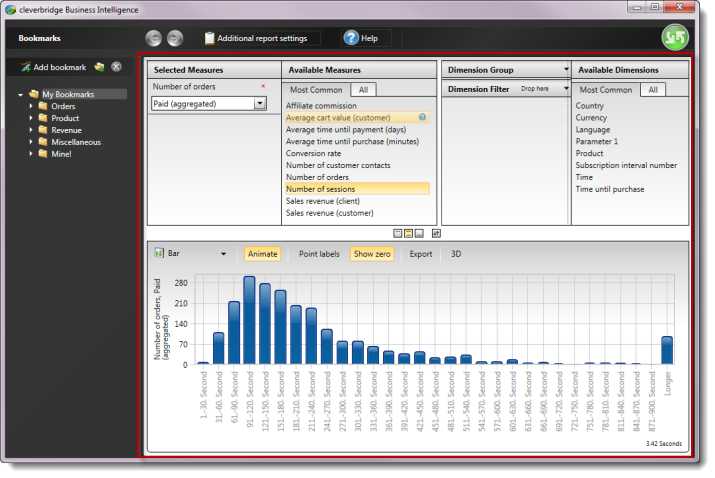
Configuration and results panes
- Configuration pane: Select measures in the upper-left area and dimensions in the upper-right area. Measures are the values you report on; dimensions determine how the results are grouped.
- Results pane: Displays report results after you select Run in the BI global header.
For instructions on selecting measures, dimensions, and filters, see Get started with Business Intelligence and Configure and manage reports.
Resize a pane
Move the pointer over a divider between workspace sections and drag it to make a pane wider or narrower.
Change pane positions
Use the pane-position controls between the configuration pane and the results pane to:
- Display only the configuration pane.
- Display both the configuration and results panes.
- Display only the results pane.
- Switch the positions of the two panes, for example, to display the results above the configuration.

The workspace controls belong to BI. To change the remote session's screen size or monitor layout, use Full screen or Dual monitor in the session toolbar.