Invoices and purchase orders
Purchase-order workflows support B2B customers whose procurement process requires an internal reference, formal approval, or payment against an invoice. Depending on the configured category, delivery can occur before payment, after Cleverbridge reviews the purchase order, or only after prepayment is received.
Invoices and purchase orders serve different purposes: the purchase order records the buyer's authorization to purchase, while the invoice or proforma invoice states the amount and payment instructions. Review the available categories and flows before enabling this option for a customer group.
Purchase orders are available in Checkout 1.0 and Checkout 2.0 for eligible B2B configurations.
This section explains purchase orders from the client's perspective. You can share the Pay using a purchase order guide with customers who need help with the checkout flow.
Purchase orders at a glance
Why offer purchase orders?
Purchase orders support buyers that need internal authorization, a PO reference, formal payment terms, or an invoice before accounts payable can release funds. The configurable review and delivery models let you separate trusted buyers from workflows that require validation or prepayment.
Purchase-order lifecycle
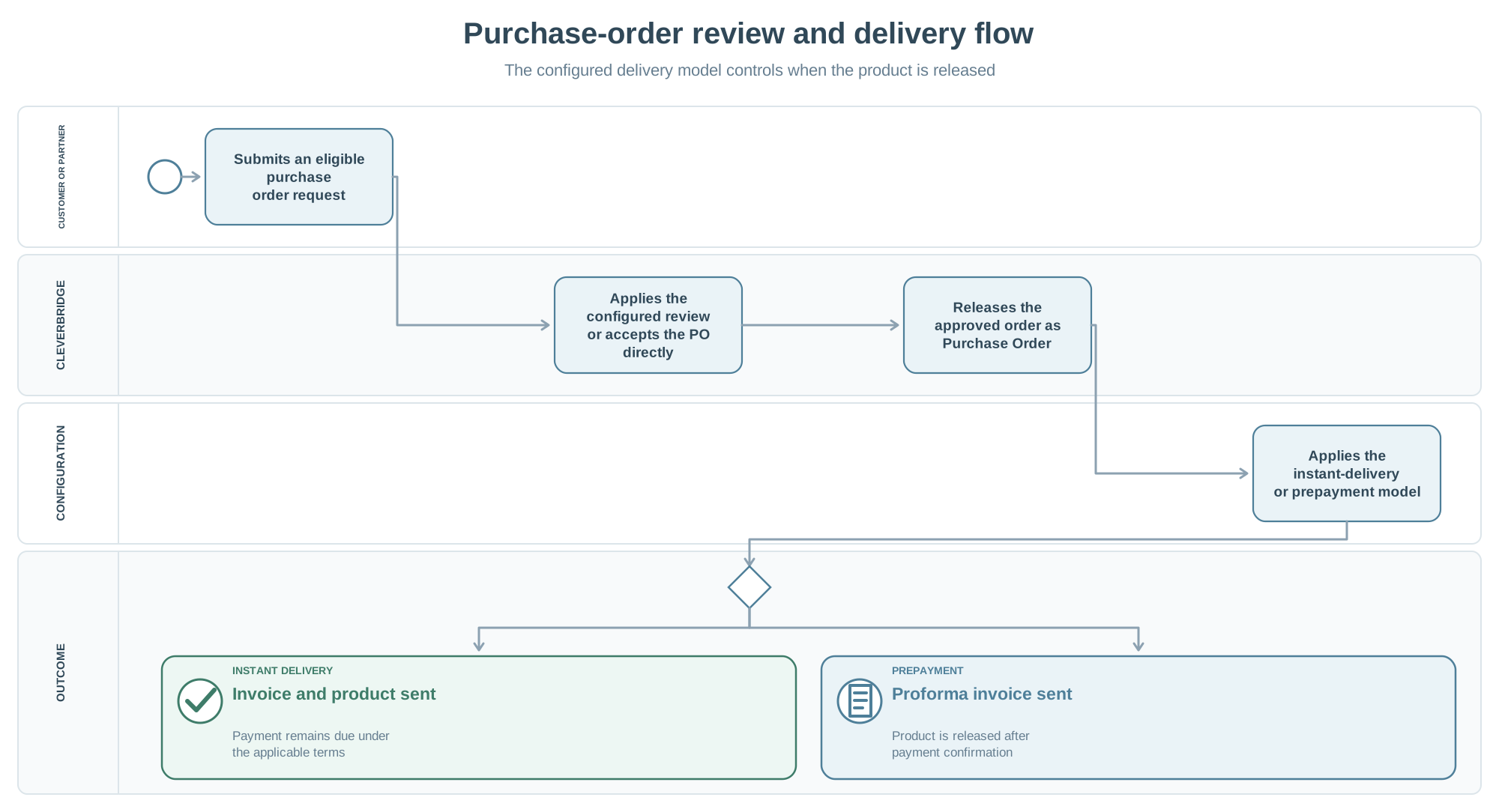
- An eligible customer submits a PO online, through an assisted offline request, or through an enabled partner interface.
- Cleverbridge applies the configured review behavior.
- After acceptance, the order has the Purchase Order status.
- For instant delivery, Cleverbridge sends the invoice and product or license after approval.
- For prepayment, Cleverbridge sends a proforma invoice and releases the product or license after payment.
See Purchase order categories and flows for submission routes, status transitions, and configuration details.
Explore this section
Purchase order categories and flows
Compare PO review, submission, and delivery flows.
Purchase order FAQs
Find answers about PO eligibility, payment terms, delinquency, testing, and editing.
Pay using a purchase order
Place an eligible B2B order using a purchase order and follow its invoice instructions.