Digital wallets
Digital wallets let customers pay with credentials stored in a wallet account or on a supported device. Customers authenticate through the wallet instead of entering payment details directly in checkout, which can reduce friction and provide an additional layer of payment security.
Wallet availability and behavior depend on the customer device, browser, country, currency, selected checkout version, and your Cleverbridge account configuration. Review the individual wallet guide for setup requirements, supported transaction types, subscription behavior, and refund handling.
Do all digital wallets use the same flow?
No. The wallets share a high-level payment lifecycle, but the customer interaction and the point at which the order is finalized differ by method.
Shared payment lifecycle
At a high level, an active digital-wallet payment follows these stages:
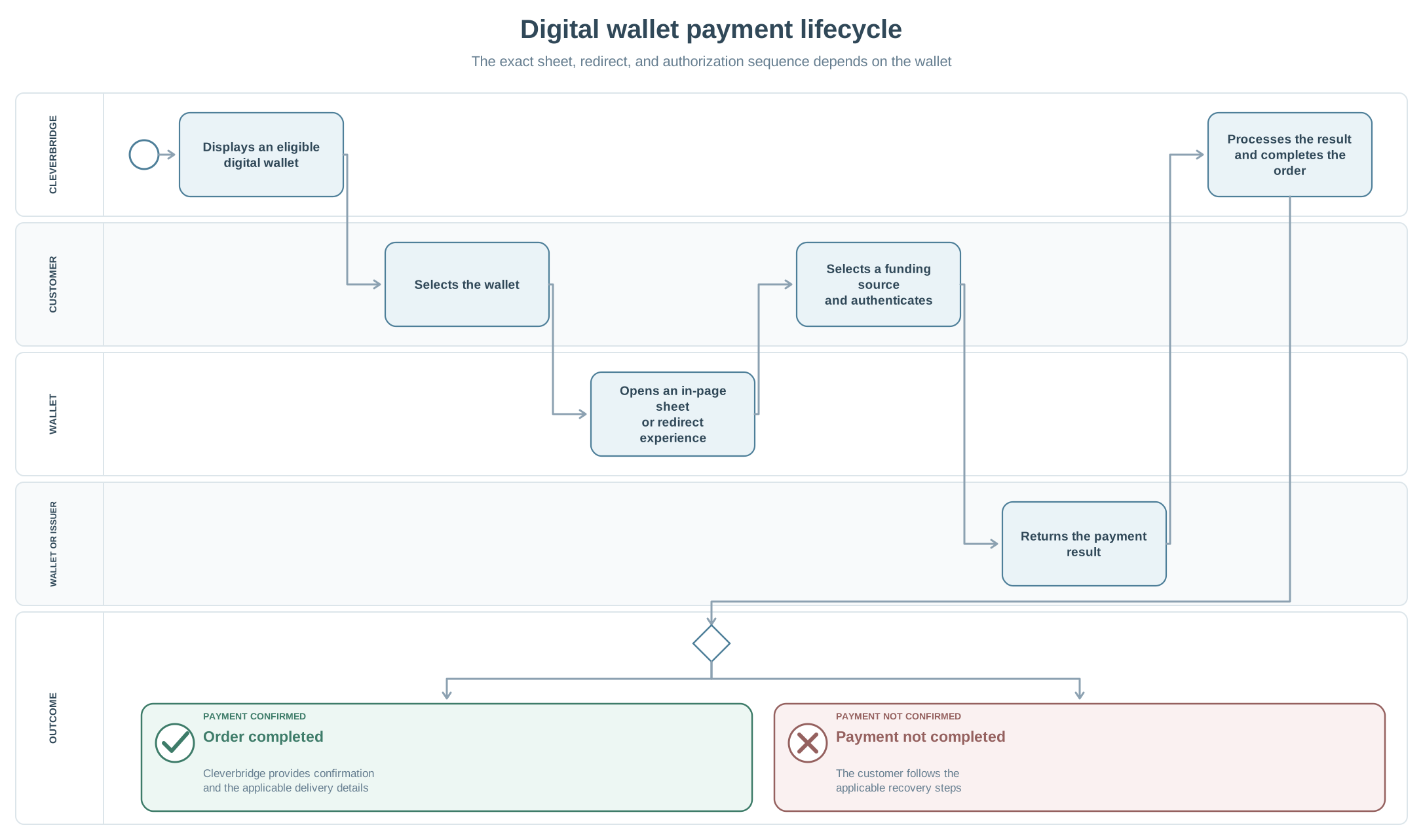
- Cleverbridge displays the wallet when it is configured and the checkout context is eligible.
- The customer selects the wallet.
- The wallet opens as an in-page sheet or through a redirect.
- The customer selects an available funding source and completes any authentication requested by the wallet or card issuer.
- Cleverbridge receives the payment result and continues or completes the order.
- After a successful payment, Cleverbridge confirms the order and sends the applicable customer communication and delivery information.
The method article is authoritative for the ordering of these stages. Do not treat the shared lifecycle as a single exact flow for every wallet.
Wallet authentication confirms the customer's intent to use the selected wallet or funding source. The underlying card issuer or payment service can still decline the payment, so a completed biometric, passcode, or login step does not by itself mean that the Cleverbridge order is paid.
The PaidOrderNotification format does not change based on the digital wallet used for the payment. Continue to use the standard notification fields and your configured notification processing.
Explore this section
Alipay
Explore the guides and reference information available for Alipay.
WeChat Pay
Explore the guides and reference information available for WeChat Pay.
Amazon Pay (deprecated)
Explore the guides and reference information available for Amazon Pay (deprecated).
Apple Pay
Explore the guides and reference information available for Apple Pay.
Google Pay
Explore the guides and reference information available for Google Pay.
PayPal Standard
Explore the guides and reference information available for PayPal Standard.
PayPal Express
Explore the guides and reference information available for PayPal Express.