Analyze and report using Snowflake data sharing
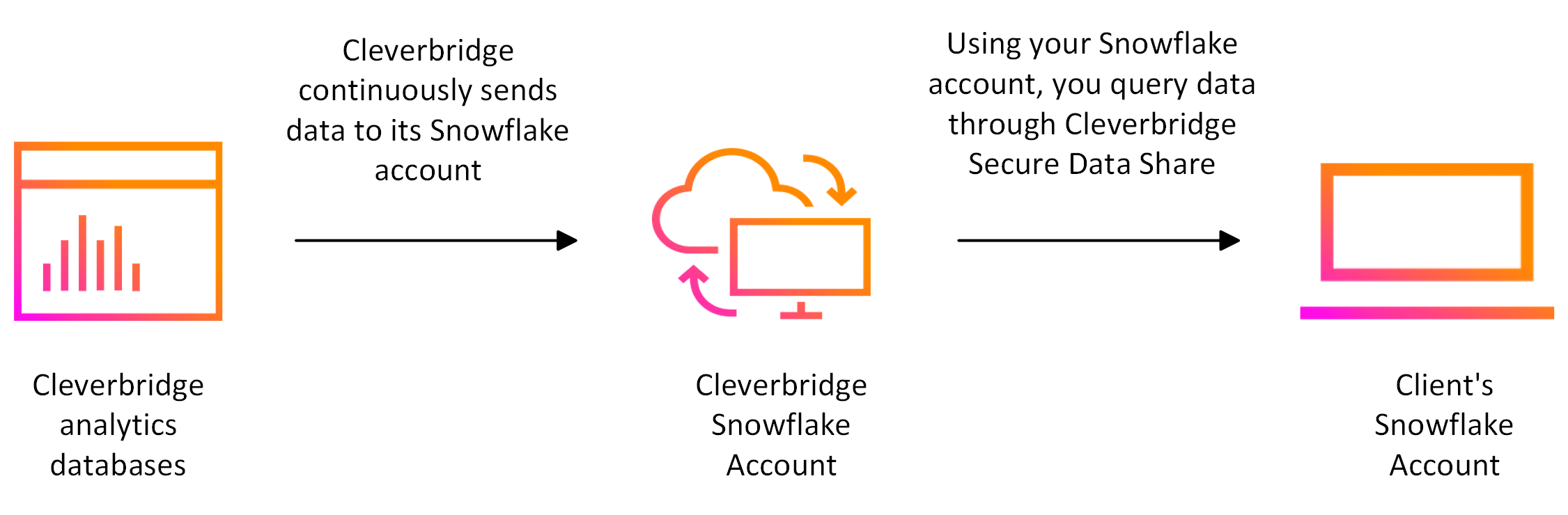
Cleverbridge Secure Data Share for Snowflake gives approved clients direct access to Cleverbridge performance data in their own Snowflake account. It removes the need to copy export files manually and makes schema updates available through the managed data share.
Use the shared data to combine Cleverbridge performance information with your internal data, run custom queries, and connect the BI or analytics tools supported by your Snowflake environment.
Benefits
- Secure access: Data is shared directly between Snowflake accounts and remains subject to the configured access controls.
- Low setup overhead: The share can be connected without building and maintaining a separate file-transfer process.
- Current data access: New data and supported schema updates become available through the shared database.
- Flexible analysis: Query the data in Snowflake and combine it with your own customer, product, finance, or operational data.
- Tool compatibility: Use the reporting and BI tools connected to your Snowflake environment.
You are responsible for the Snowflake compute costs generated when your organization queries the shared data.
The shared data is intended for performance analysis. It does not replace the official clearing documents and must not be used as the sole source for financial reconciliation. For details, see Performance data vs. clearing reports.
Data dictionary
Use the Snowflake data sharing dictionary to explore 26 tables and 344 columns available through Data Pipeline 2 (DP2). The guide links to the interactive dictionary and a downloadable Excel workbook.
Explore this section
Start with Cleverbridge Data Share in Snowflake
Explore Start with Cleverbridge Data Share in Snowflake and learn how it supports your work in Cleverbridge.
Performance data vs. clearing reports
Use Performance data vs. clearing reports to review data, understand performance, and support business decisions.
Snowflake data export queries
This section provides guidance on how to query Cleverbridge performance data available through the Snowflake Secure Data Share.
Data dictionary
Learn what Data dictionary covers and how to use it in Cleverbridge.