Request refunds
Overview
Cleverbridge provides refund self-service as an option for your customers. With this functionality, customers can request a refund for a purchase or subscription without contacting your support team first. This gives your customers a clear and convenient refund path, helps reduce routine support requests, and supports a smoother post-purchase experience.
This article describes customer-initiated refund requests. Authorized users can initiate supported refunds directly in Subscription Commerce Manager (SCM). For the client workflow, see Handle refunds.
Refund self-service process
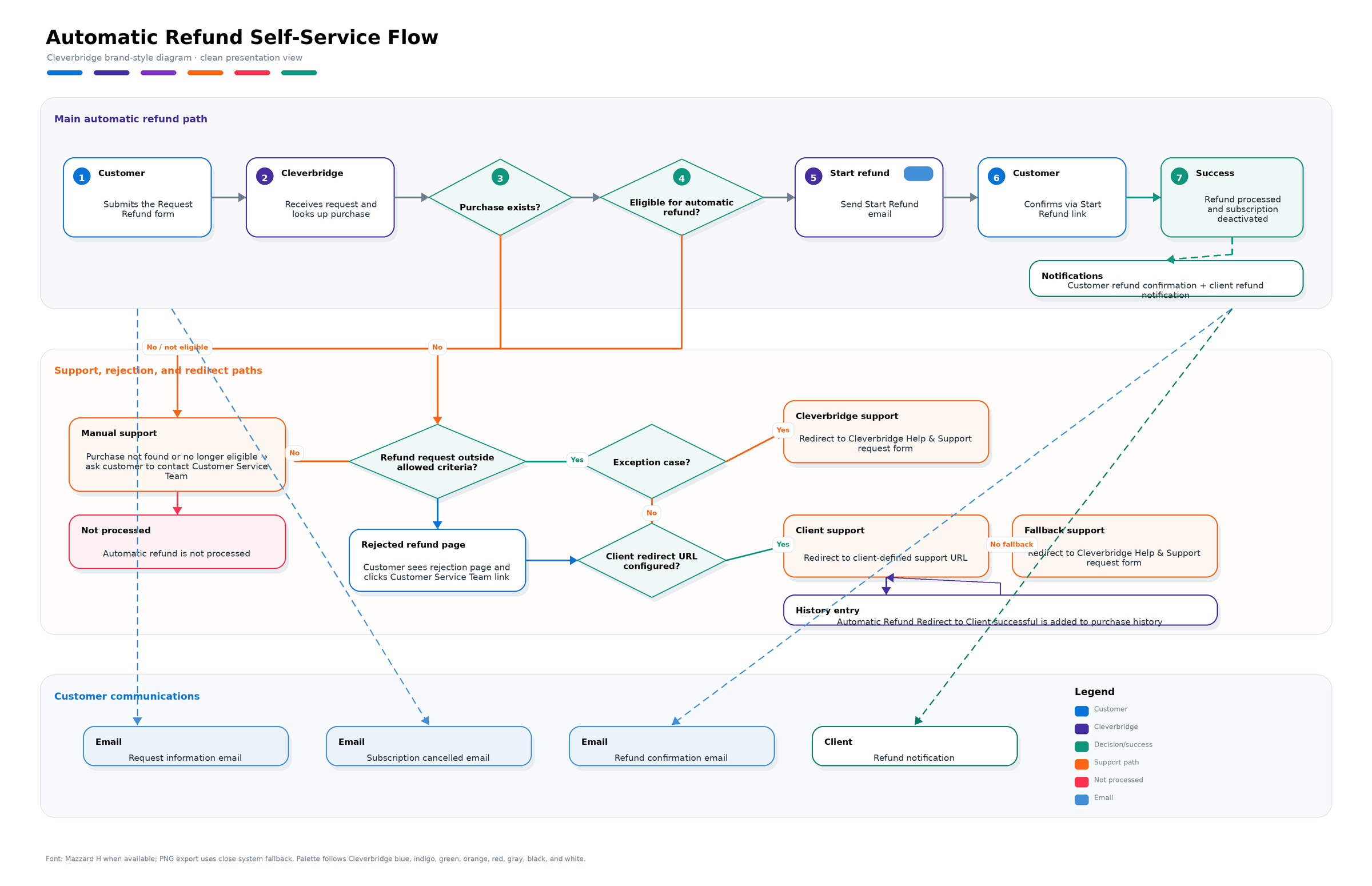
The refund self-service process includes several validation and confirmation steps. After customers submit the refund request form, Cleverbridge checks whether the purchase exists and whether it is eligible for an automatic refund. If the purchase is eligible, customers receive an email with a Start Refund link and must confirm the refund before it is processed. If the purchase is not eligible, customers are asked to contact the Customer Service team.
The diagram
The following diagram shows how Cleverbridge validates, confirms, and processes refund self-service requests.
Requesting a refund
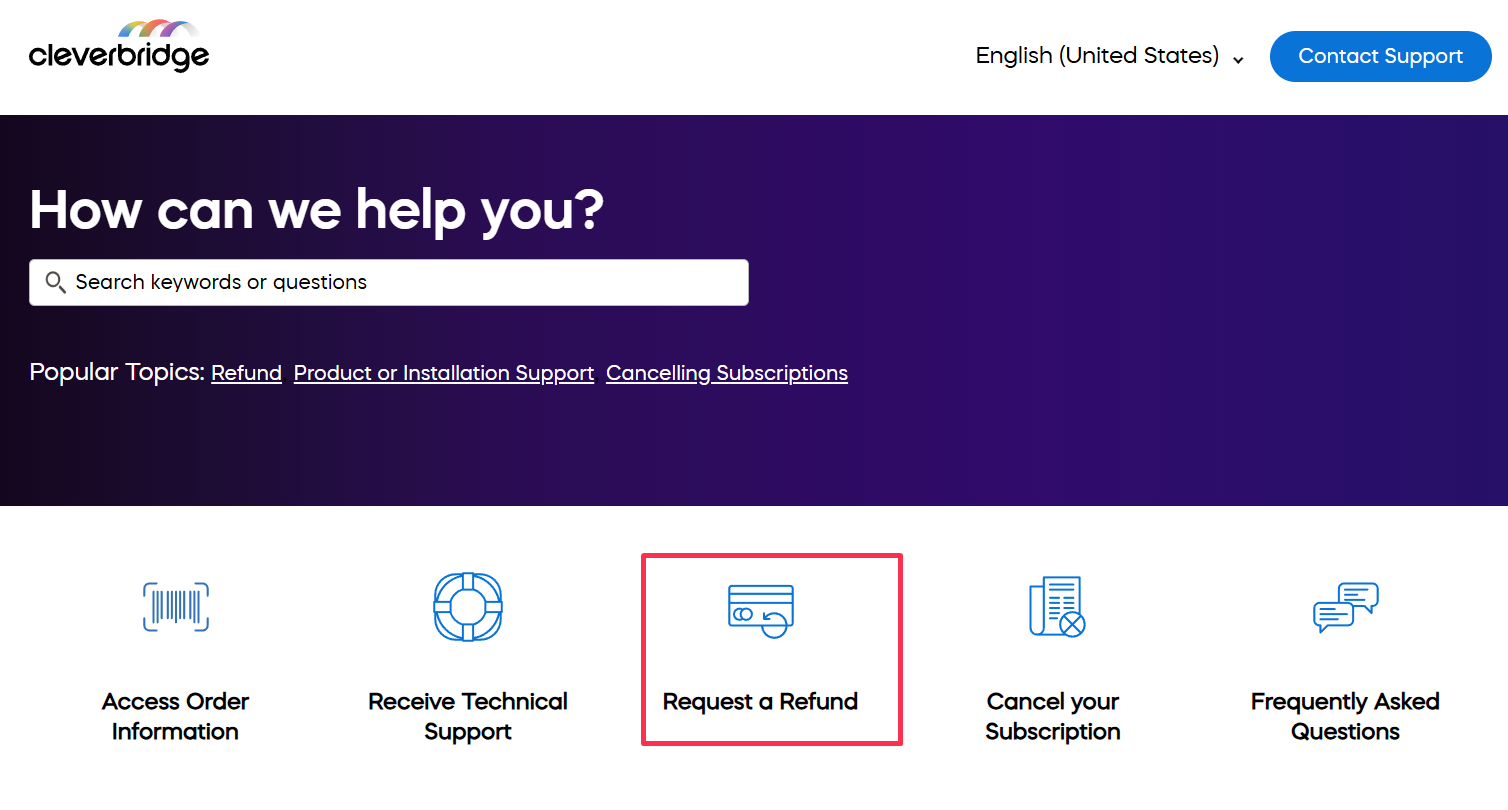
Customers can access refund self-service by selecting Request a Refund in the Cleverbridge Customer Help Center or by opening the Refund Request page directly.
To request a refund, customers enter their email address, Cleverbridge reference number, and refund reason.
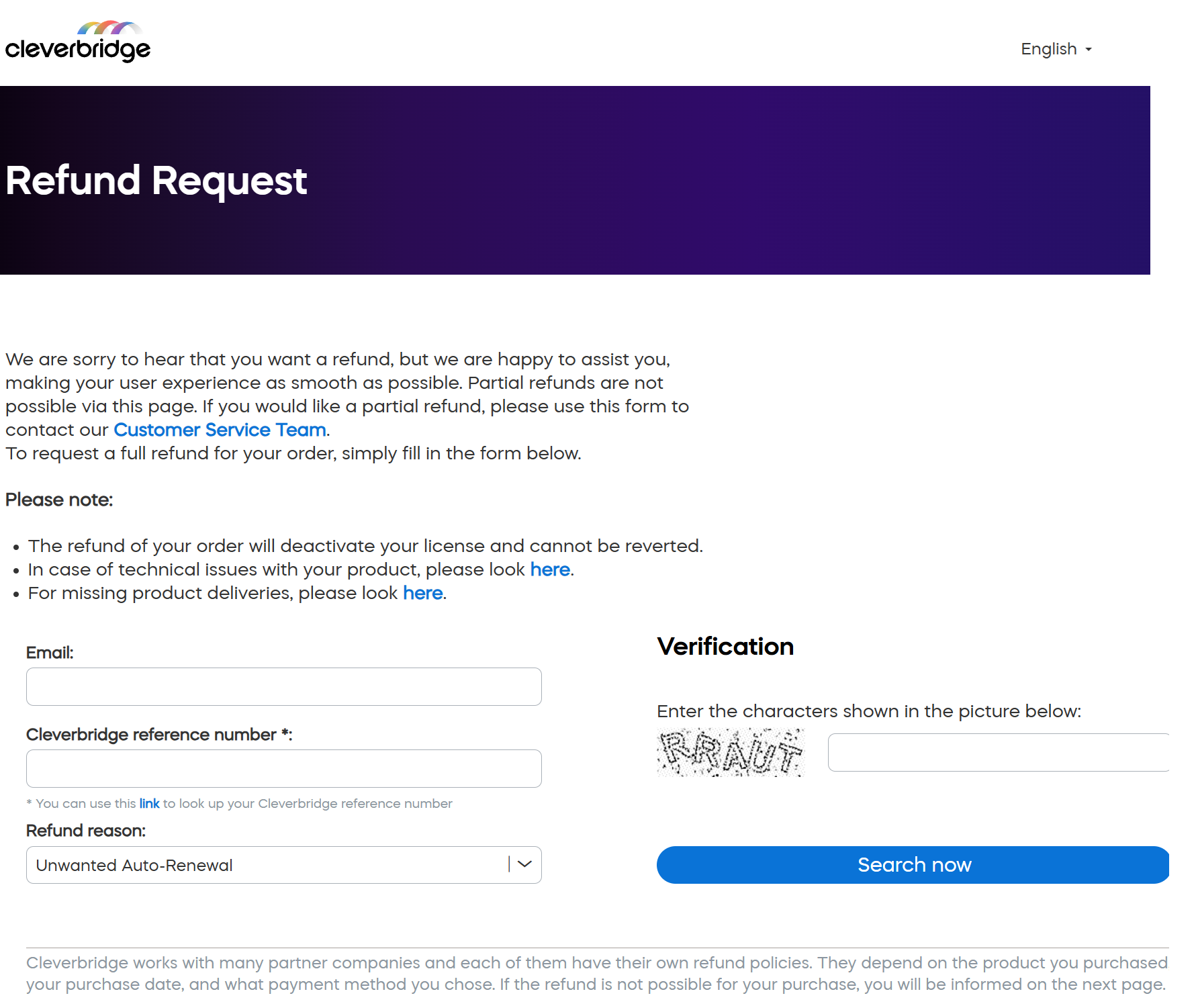
Available refund reasons include:
- Unwanted auto-renewal
- Product dislike or dissatisfaction
- Wrong product ordered
- Installation or technical issue
- Duplicate order
- Technical support dissatisfaction
- Delivery missing or not received
Refund self-service supports full refunds. Partial refunds are not possible through the self-service page.
Automatic refund eligibility
Whether a purchase or subscription can be refunded automatically depends on several factors:
- Type of refund: Only full refunds can be processed automatically. Partial refunds and VAT refunds cannot be processed through refund self-service.
- Your refund policy: Your refund policy must allow Cleverbridge to process refunds without approval or further communication.
- Payment method: Automatic refunds are available for credit cards, PayPal, Apple Pay, Alipay, direct debit, and Amazon Pay. Offline payment methods are not eligible for automatic customer self-service refunds and are handled by Cleverbridge.
- Purchase date: Your refund policy may define the time period within which a purchase or subscription can be refunded.
You can check your refund policy and refund self-service setup in SCM.
To find this information:
- In SCM, go to Settings > Clients.
- Find the client account you want to check.
- Open the three-dot menu (...) for the client account.
- Select View client policies and procedures.
- In the Policies and Procedures panel, expand Refund.
The Refund section shows whether refund self-service is activated for the client account and includes refund-related notes or exceptions, such as whether licenses are deactivated after a refund.
Redirect behavior for rejected refund requests
If a refund request does not meet the allowed refund criteria, the customer is redirected to a refund rejection page. This page informs the customer that an online refund is not possible and asks them to contact the Customer Service team.
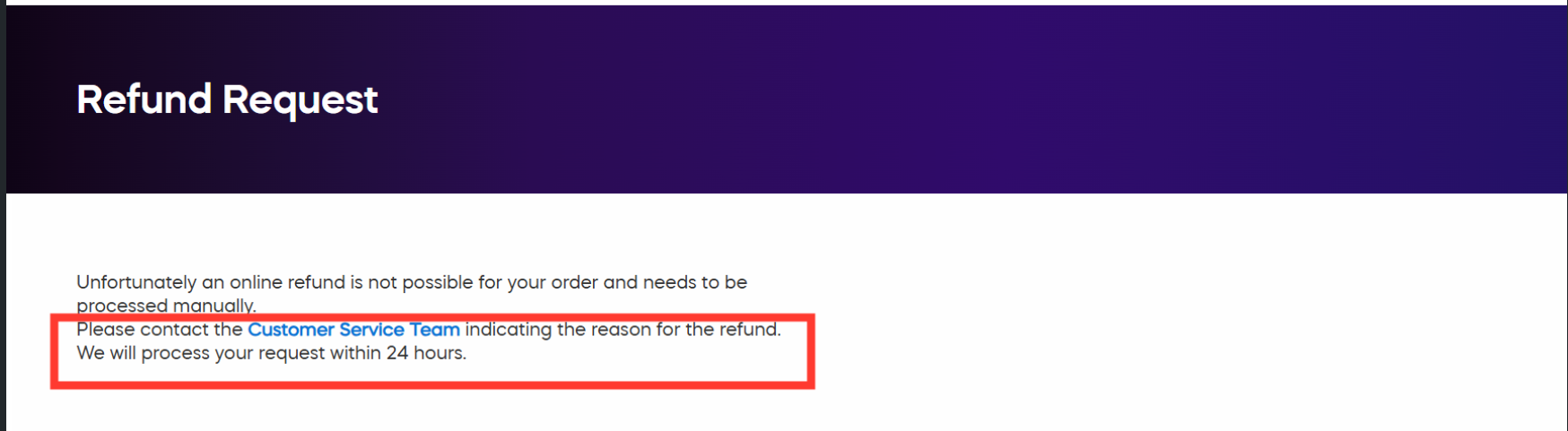
The link behind Customer Service Team uses dynamic redirect behavior:
- If no client redirect URL is configured, the customer is redirected to the Cleverbridge Help & Support request form.
- If a client redirect URL is configured, the customer is redirected to the client-defined support URL.
This redirect behavior applies after the customer reaches the refund rejection page. The customer is not redirected directly from the refund request form.
If you have not yet configured a redirect URL but would like to do so, please contact your Client Manager. You can configure a redirect URL even if refund self-service is not enabled for your account.
Exceptions
Some refund requests always continue to Cleverbridge Customer Support, regardless of whether a client redirect URL is configured:
- Refund requests with an order value above 10,000 USD.
- Offline payment refund requests that are within the allowed refund criteria. These requests continue to Cleverbridge Customer Support because clients cannot process offline payment refunds in SCM.
When a customer is redirected to a client-defined support URL after a rejected refund request, Cleverbridge adds a history entry to the purchase: Automatic Refund Redirect to Client successful. This history entry is used for tracking and impact measurement. The specific client redirect URL is not stored in the history entry.
Learn more about refund self-service
For more information, including examples from the customer and client perspective, see Refunds made easy.
Add refund self-service to your support page
You can add the link to refund self-service directly to your own support page, so your customers can find it more easily.
Example wording:
Within ___ days of your product download purchase, you may request a full refund, for any reason, using the [self-service refund](https://www.cleverbridge.com/refund/) option. This self-service option allows you to get a refund quickly if all requirements are met.