Storefront integration options
Overview
Choose how the Checkout appears in your site or app. You can render it as a full-page storefront, or embed it within your experience as an overlay or inline component. All options can be styled to your brand, support in-app purchases, and provide a smooth path from cart to confirmation.
Checkout 2.0 currently supports only the full-page storefront.
Full-page storefront
Full-page storefronts deliver a complete, hosted purchase flow—checkout, order confirmation, and self-service features. Customers move to this storefront after clicking a call to action, and you, your partners, or affiliates integrate it by linking to the Cleverbridge hosted UI. This approach gives you the full feature set, consistent branding, and clear, conversion-focused steps from cart to confirmation.
The look of you full-page storefront can be fully adjusted to meet your style and branding, and this example is provided for illustration purposes only.
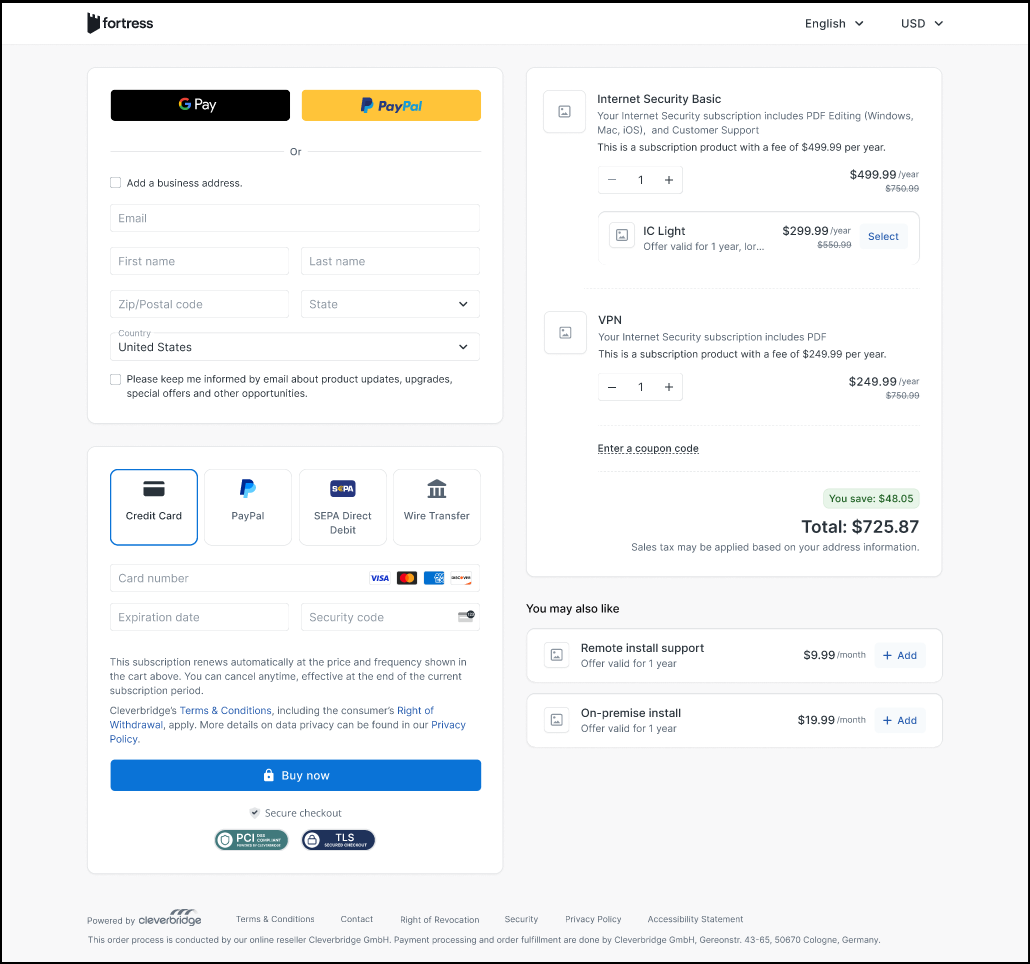
For information on how to integrate the full-page storefront, see Full Page Integration.
Other storefront integrations (Checkout 1.0)
Other storefront integration options can be used is you want checkout to appear inside your page or app, without a redirect. They are available with Checkout 1.0 and can be configured to align branding, compliance, and performance goals.
Available options are described below:
- In-app
- Pop-up
- Embedded
In-app storefronts
In-app storefronts let customers purchase, upgrade, and manage orders directly within your application. In-app storefronts provide checkout, order, and other self-service features within an iframe in your software, enabling customers to complete purchases, upgrades, or checkouts directly in the application. This eliminates the need to switch to a browser and reduces friction.
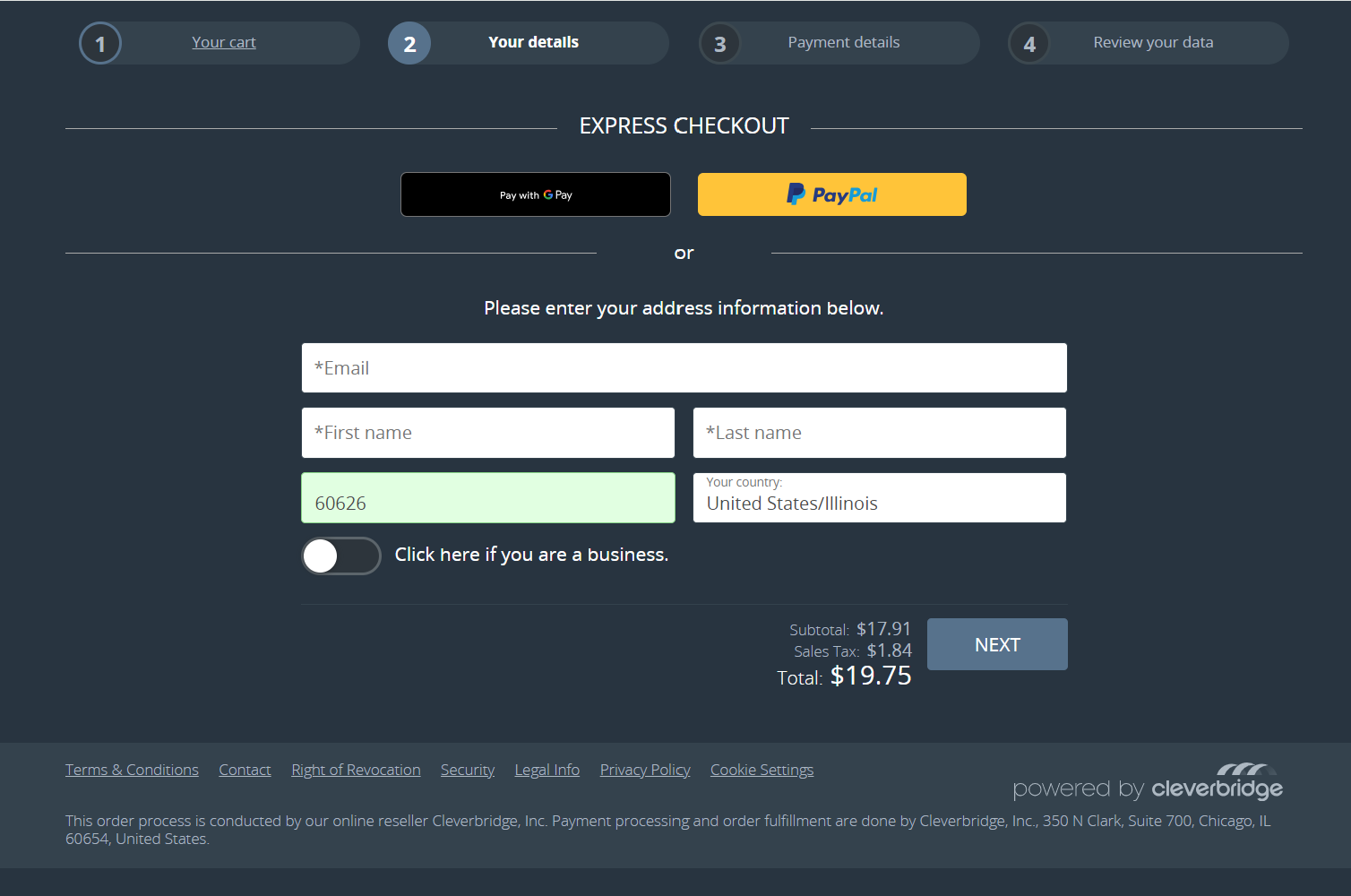
For information on how to integrate the in-app storefront, see In-App Integration.
Pop-up storefronts
Pop-up storefronts feature checkout, order, and other self-service functions that pop up on your webpage when a customer clicks an action button. Pop-up checkouts let you host an integrated cart on your webpage while using the Cleverbridge platform to handle payment collection and transaction processing. They also provide a streamlined, minimalist Cleverbridge checkout experience directly on your site.
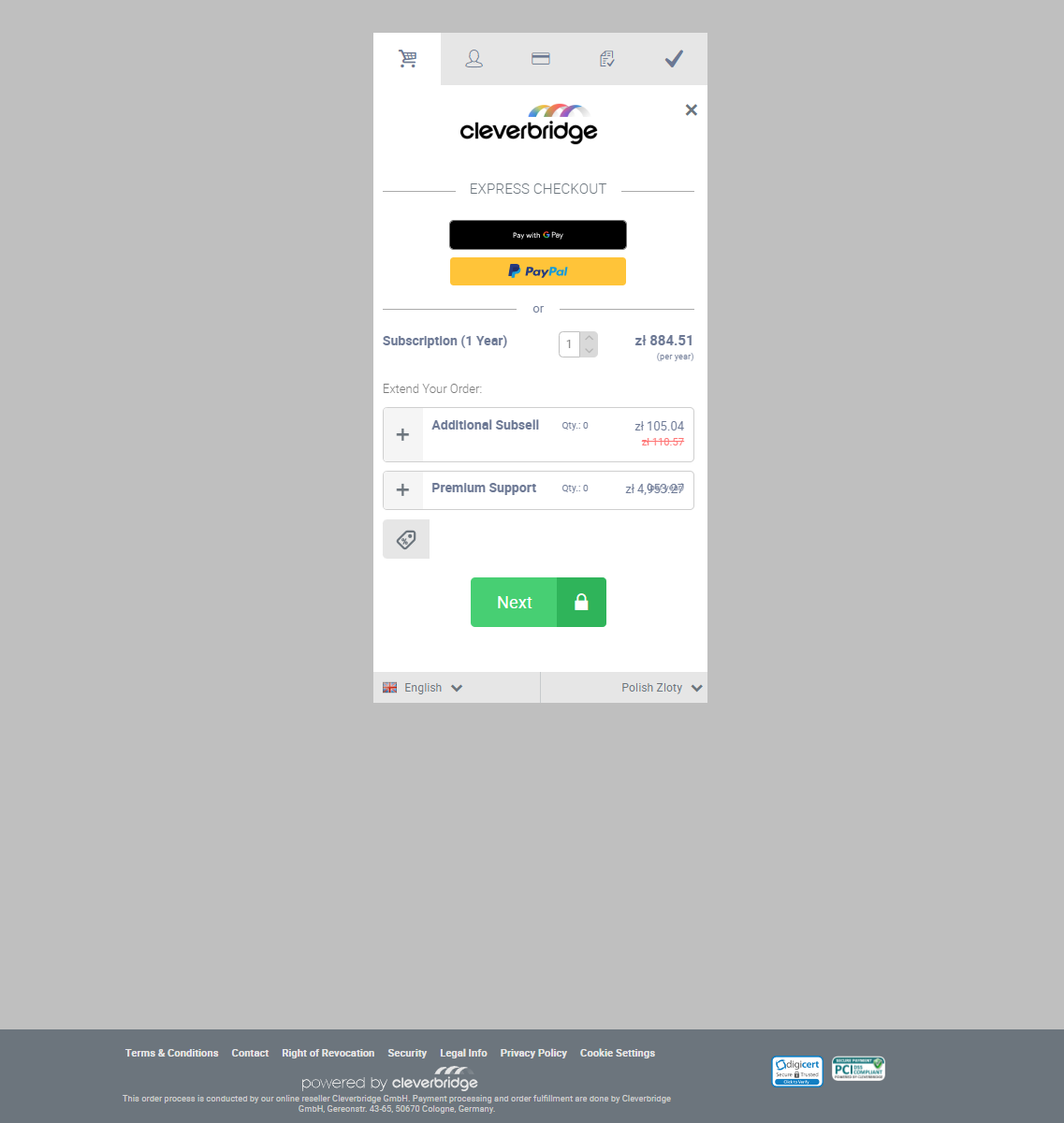
For information on how to integrate the pop-up storefront, see Pop-Up Integration.
Embedded checkouts
Embedded checkouts let you host an integrated cart on your webpage while using the Cleverbridge platform to manage payment collection and process transactions. They also offer a seamless, minimalist Cleverbridge checkout experience directly on your site.
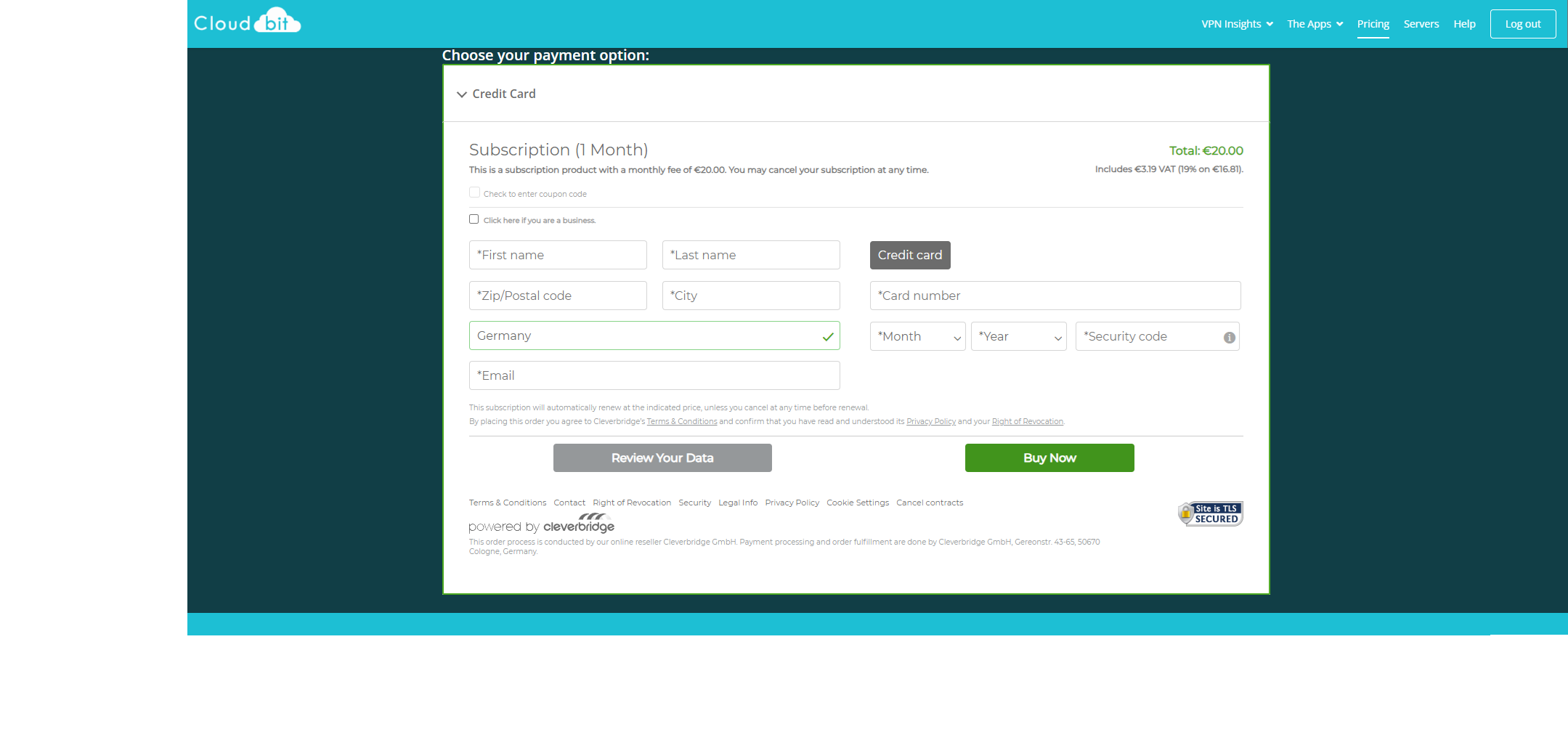
For more information on how to integrate the embedded storefront, see Embedded integration.
Test your checkout pages
Before launching your checkout pages, we recommend conducting end-to-end testing in the cart using our test credit cards. Thorough end-to-end cart testing proactively identifies and resolves issues in product configuration, formatting/HTML, localization, pricing, payment methods, notifications, recommendations, promotions, product variants, and parameter settings—ensuring a seamless, reliable checkout experience.
For more details, see Test your Cleverbridge setup and integrations
Go live with your checkout pages
When you're ready to go live with your checkout pages, contact Client Experience to communicate your readiness to go live and obtain the link to place on your website.