Set up free trials
Overview
You can offer customers a free trial period of any duration. The length of the trial can be set in the product settings or through a coupon code. If the customer doesn't cancel within the trial period, the subscription automatically converts to a paid one at the trial's end. Additionally, you have the option to offer a free trial without collecting payment details upfront.
Additional fees apply to free trial transactions. For more information, contact Client Experience.
You can activate the pre-authorization of the customer's credit card for free trials. This setting is configurable on your account or on the product level. For more information, contact Client Experience.
- Product settings
- Coupon code
Product settings
You can set up a free trial on the product level within the Configure > Manage Products section of SCM.
In SCM, you can set up a free trial only with the option of collecting the customer's payment information. Following the trial period, customers will be charged a regular product fee, unless they opt to cancel their subscription.
If you want to offer your customers a free trial without collecting their payment information during sign-up, contact Client Experience.
- Go to Configure > Manage Products in SCM.
- Select the recurring product for which you want to set up a free trial period.
- Under Pricing, select Start with free trial period and define the length of the free trial under Length of Initial Billing Interval. The price for Billing Interval 0 shows 0 automatically in the Billing Schedule.
To set up a free trial period of 30 days for your product, select days and enter 30 under Length of Initial Billing Interval.
- Define the length of subsequent billing intervals under Length of Recurring Billing Interval.
- In Billing Schedule, select Billing Interval 1 and enter unique pricing information in the price grid. This is the amount the customer will be charged once the free trial period concludes.
If pricing information is not specified for Billing Interval 1, then Billing Interval 0 displaying 0 will remain as the product price for all subsequent subscription intervals.
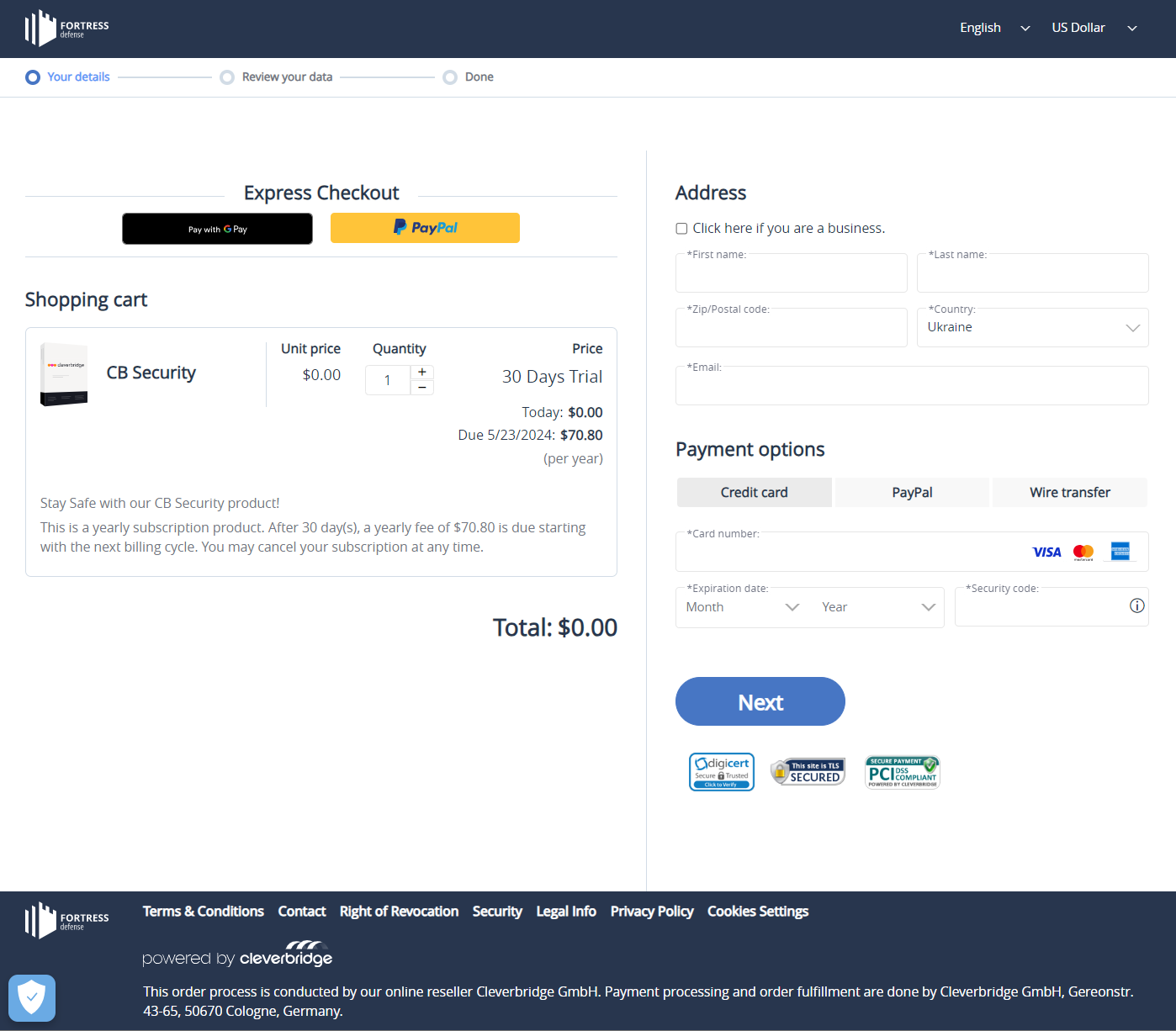
You set up a free trial of 30 days for your product. By proceeding to checkout, your customer has to provide payment details. After the free trial, if the subscription is not canceled, the customer has to pay for the next subscription interval.
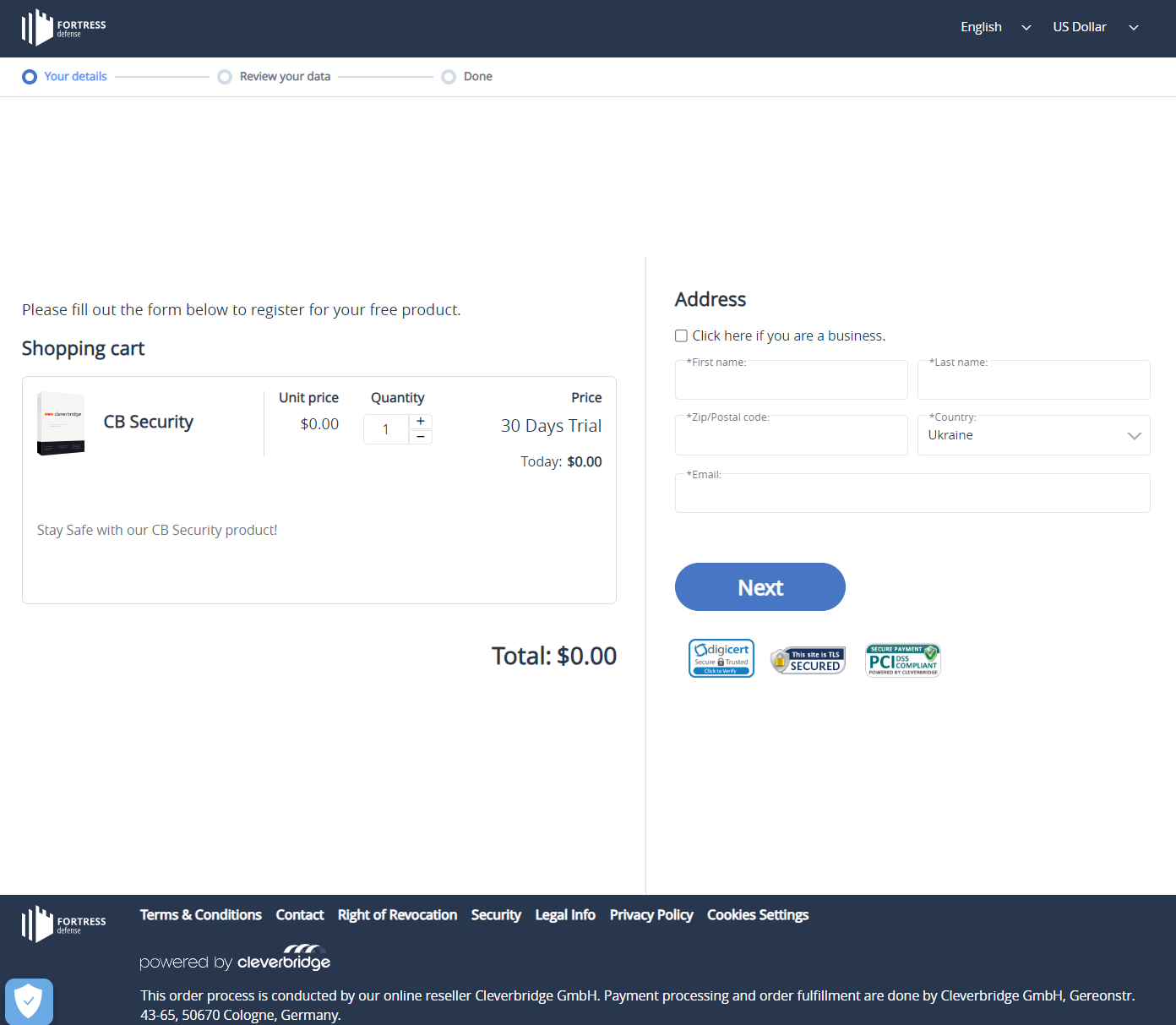
You set up a free trial of 30 days for your product. With the help of our Client Experience team, your customers are allowed to use the free trial without having to provide their payment information during checkout.
Coupon code
You can set up a free trial for the product by creating a coupon code in the Campaigns > Promotions section of SCM.
In SCM, you can set up a free trial only with the option of collecting the customer's payment information. Following the trial period, customers will be charged a regular product fee, unless they opt to cancel their subscription.
If you want to offer your customers a free trial without collecting their payment information during sign-up, contact Client Experience.
- Go to Optimize > Promotions in SCM.
- Click Add Item Level Promotion.
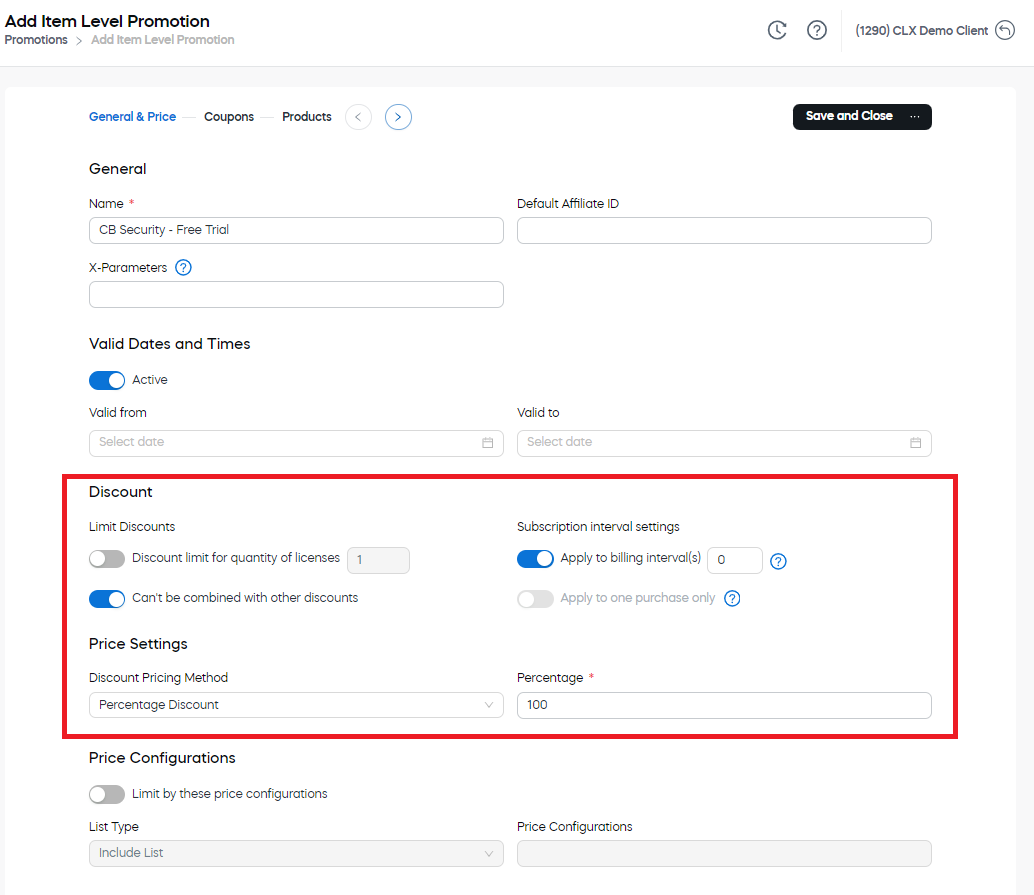
- In the General & Price tab, enter a name for the free trial promotion.
- Under Discount, set up the discount amount. For more information on individual options, see Implement cart promotions.
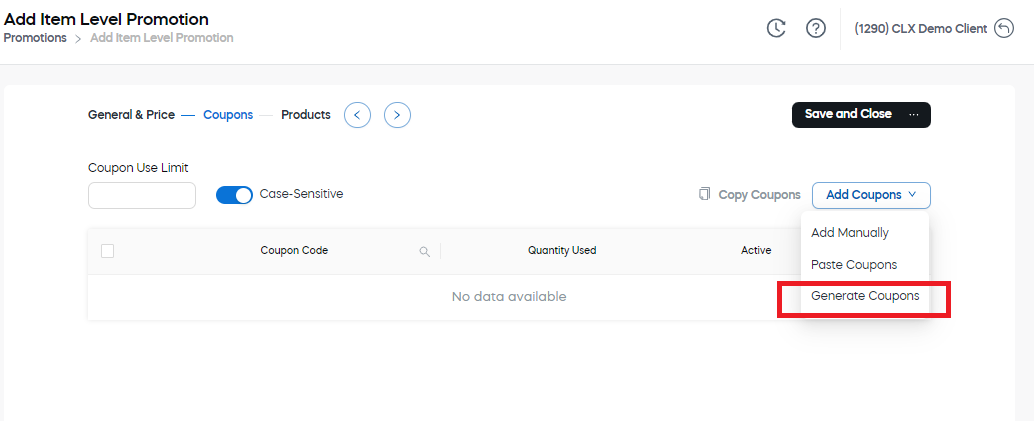
- Select the Coupons tab and generate a coupon code:
a. Click Add Coupons and select Generate Coupons.
 b. Enter information about how the coupon code should be generated.
c. Click Submit. The coupon code is added.
b. Enter information about how the coupon code should be generated.
c. Click Submit. The coupon code is added. - In the Products tab, click Select Product and choose the subscription product you wish to set up a free trial period for.
- Click Submit, then Save and Close.
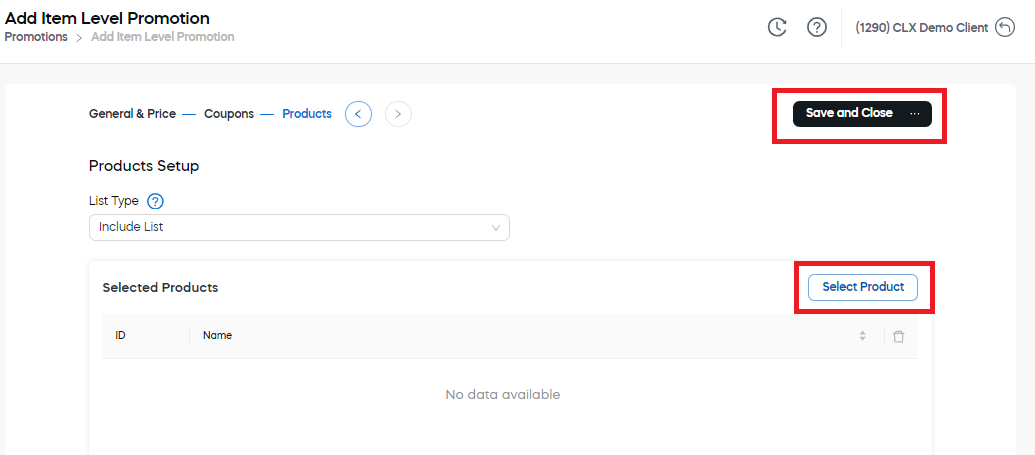
You can offer the generated coupon code either as part of a promotion campaign or include it directly within the checkout link. For more information, see List of Checkout Process Parameters > Coupon Settings.
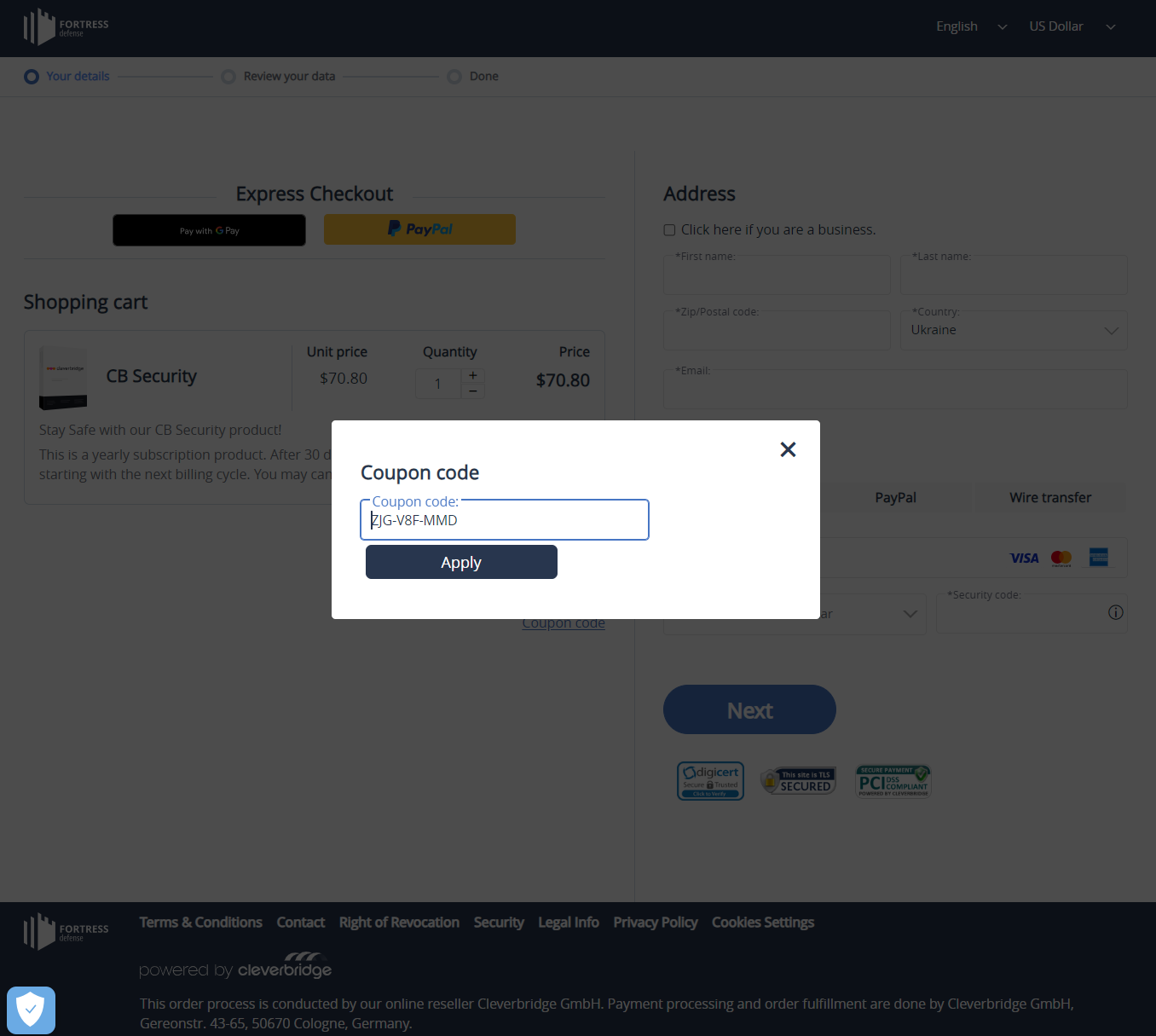
You set up a free trial of 30 days for your product by generating a coupon code. You include this coupon code directly within the checkout link using &coupon=<coupon_code>. You want your customers to provide their payment information during sign-up.
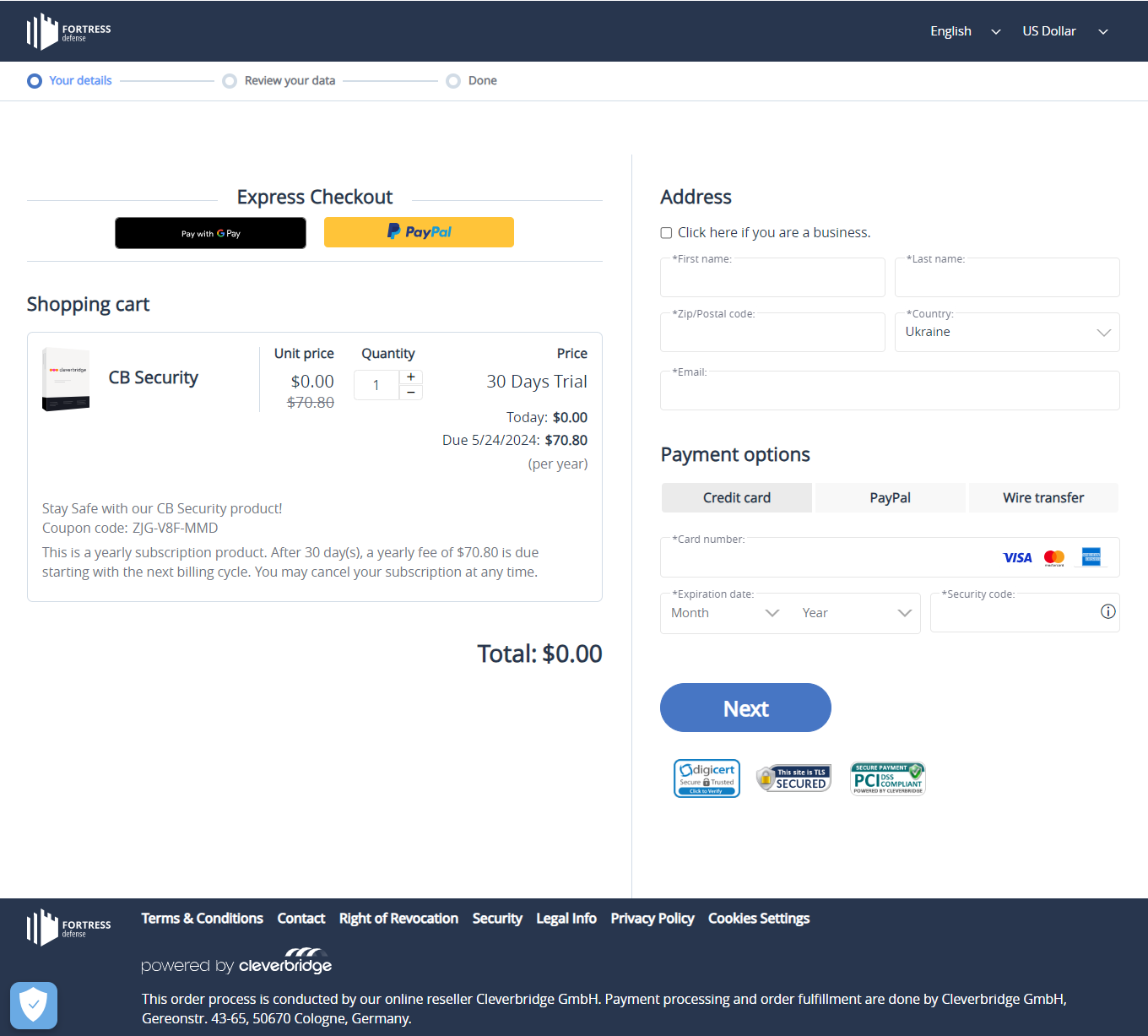
You set up a free trial of 30 days for your product by generating a coupon code. You include this coupon code directly within the checkout link using &coupon=<coupon_code>. You want your customers to provide their payment information during sign-up.
If you want to set up a free trial in Commerce Assistant (CA), see Set up a free promotional period for a subscription.