Offer Apple Pay payments
Overview
Apple Pay lets an eligible customer use a card stored in Apple Pay without entering the card details directly in the Cleverbridge checkout. In the documented Cleverbridge flow, the Apple Pay sheet opens over the checkout rather than redirecting the customer to a separate site.
This page explains Apple Pay from the client's perspective. You can share the Pay with Apple Pay guide with customers who need help completing a payment.
Apple Pay at a glance
Apple Pay is available to customers in multiple countries and regions, but support varies by device, browser, card issuer, and participating bank. See Countries and regions that support Apple Pay and Apple Pay on the Web.
Why offer Apple Pay
Apple Pay can help you reach customers who prefer to pay with a card already added to Apple Wallet. In October 2024, Apple reported that Apple Pay was used by hundreds of millions of consumers in 78 markets and was available at checkout on millions of websites and apps. See Apple celebrates 10 years of Apple Pay.
Offering Apple Pay can help you:
- Provide a familiar payment option to customers who already use Apple Pay.
- Let customers select an eligible card without entering its details directly in the Cleverbridge checkout.
- Keep payment authorization within the Apple Pay sheet on the customer's device.
- Provide an in-page wallet experience without a full-page redirect.
Cleverbridge order flow
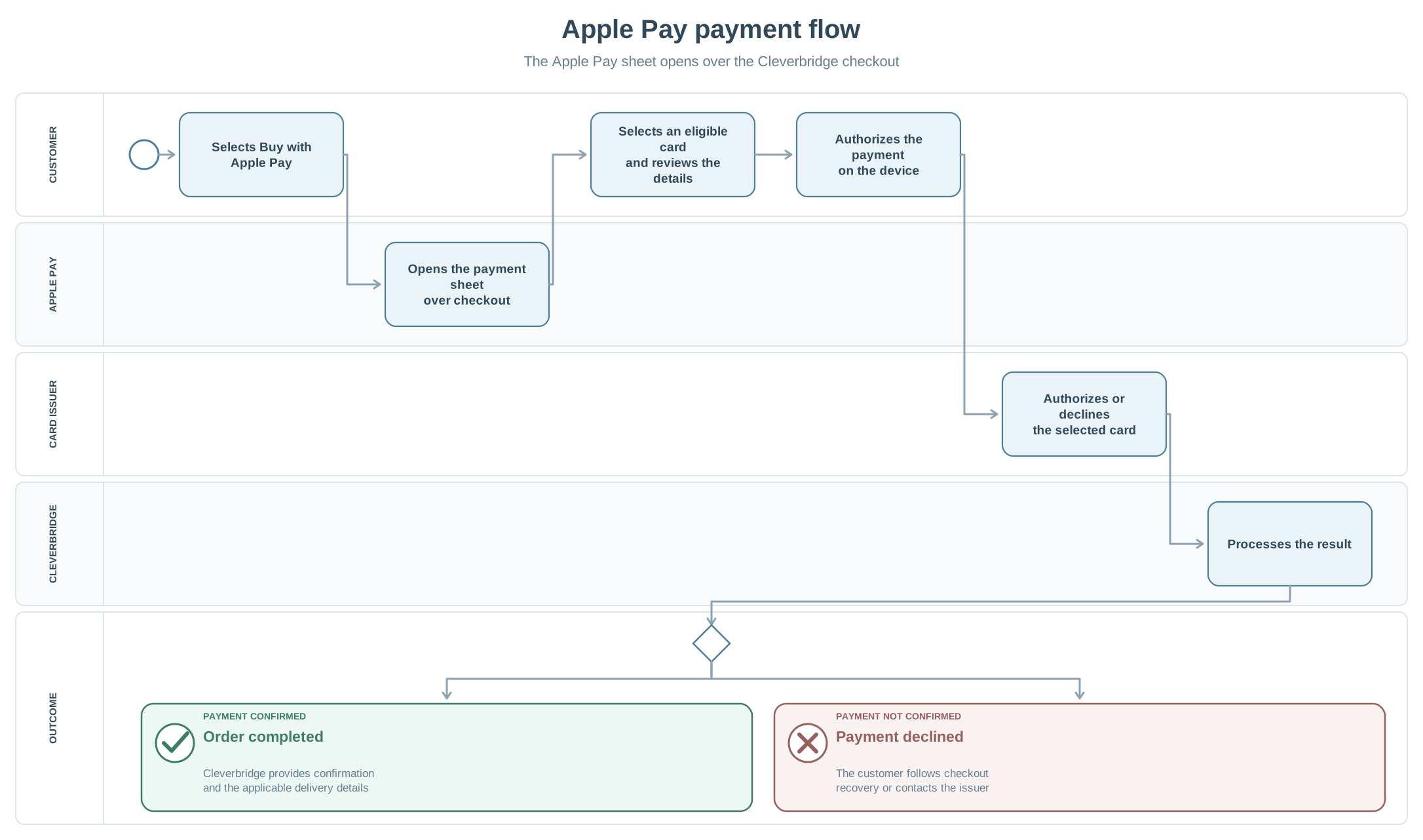
- The customer selects Buy with Apple Pay in the express checkout area.
- The Apple Pay sheet opens over the Cleverbridge checkout.
- The customer selects a card and reviews the details presented in the Apple Pay sheet.
- The customer reviews the billing details and selects Buy Now.
- After a successful payment, Cleverbridge confirms the order and sends the delivery information by email.
Authentication and payment results
The customer completes the authorization requested in the Apple Pay sheet. This confirms the customer's intent to pay, but the selected card is still routed to its issuer for approval. Cleverbridge confirms the order and sends delivery information only after the payment succeeds.
If the card is declined after the customer authorizes Apple Pay, the customer should follow the checkout recovery option or contact the card issuer. Apple also explains that Apple Pay card transactions are routed to the issuer for approval; see If a payment card that you use with Apple Pay is declined.