Offer Alipay payments
Overview
Alipay is a redirect-based digital-wallet method. In the currently documented Cleverbridge flow, the customer submits the order, completes authentication in Alipay, and then returns to the Cleverbridge confirmation page.
This page explains Alipay from the client's perspective. You can share the Pay with Alipay guide with customers who need help completing a payment.
Alipay at a glance
Why offer Alipay
Alipay can help you reach customers in mainland China who prefer to pay using a familiar local digital wallet. According to Ant Group, the Alipay app provides payment and digital services to hundreds of millions of consumers.
Offering Alipay can help you:
- Provide a familiar account-based payment experience for customers who use Alipay.
- Reduce the need for customers to enter payment credentials directly in the Cleverbridge checkout.
- Support eligible Alipay customers making cross-border online purchases.
- Keep payment authorization within the Alipay environment before returning the customer to the Cleverbridge checkout.
Alipay's official Online Payment product supports web, in-app, and mobile-web purchase experiences. For more information, see Alipay Online Payment.
Cleverbridge order flow
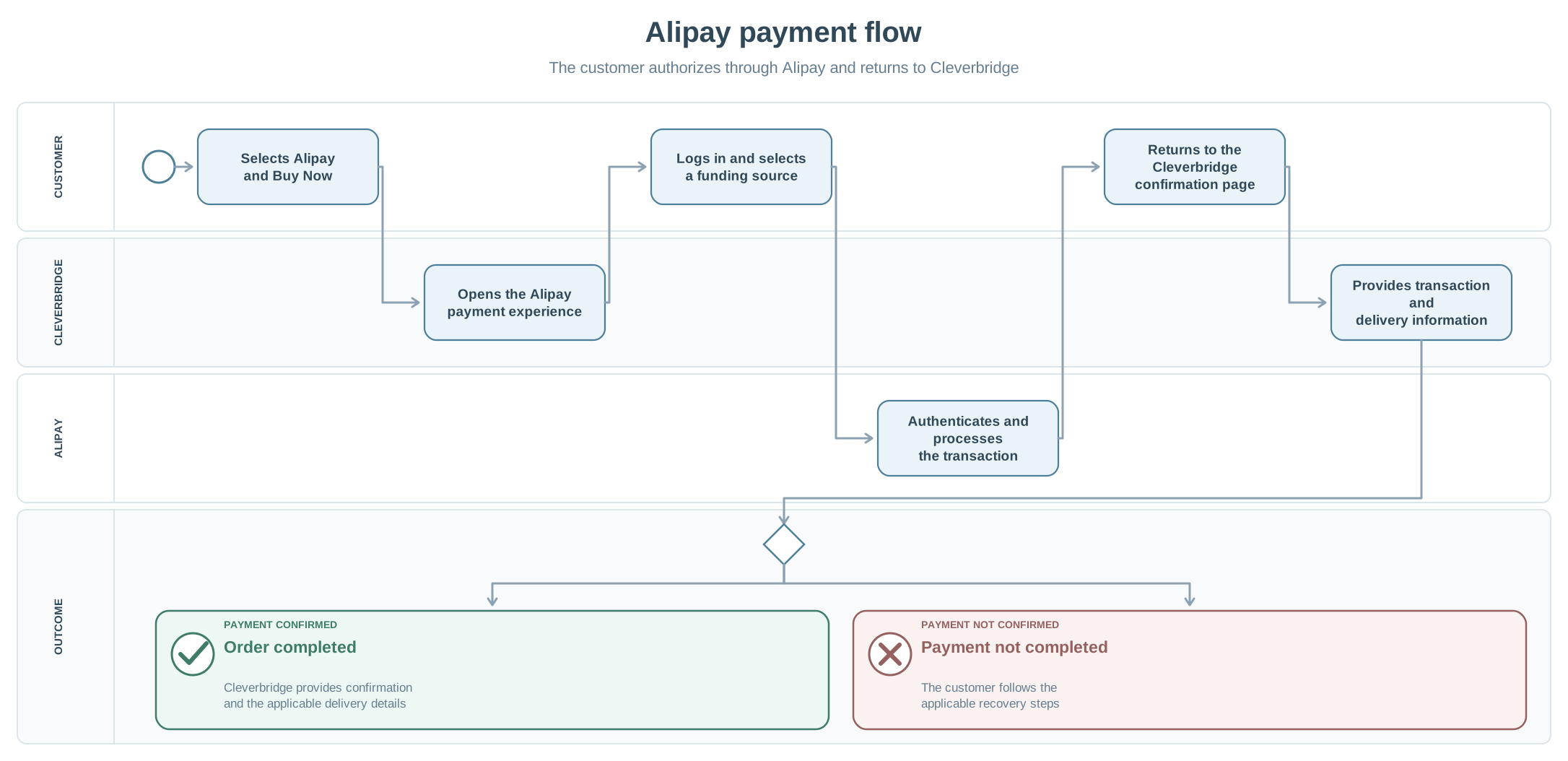
- The customer selects Alipay and then selects Buy Now on the Cleverbridge checkout.
- Cleverbridge opens the Alipay payment experience.
- The customer logs in with their Alipay credentials.
- In the currently documented flow, the customer selects a funding source, confirms the payment, and enters the requested payment password.
- After the transaction completes, the customer returns to the Cleverbridge confirmation page to view the transaction details.
- Cleverbridge sends the applicable delivery information by email.
Payment confirmation
The customer returns to the Cleverbridge confirmation page after the transaction completes. Cleverbridge then provides the transaction details and sends the applicable delivery information by email.