Use a base product
Overview
A base product is a reusable template that you can use to create products of other types but with similar characteristics. Use a base product when several products share visible product information, internal information, attributes, or delivery setup.
Base products help you keep product information consistent and easier to maintain. Instead of entering the same information for every product, you can define shared information once in a base product and reuse it when setting up related perpetual or recurring products.
A base product must be created before you can select it for another product. For instructions, see Add a base product.
How base products work
You can select a base product for a perpetual or recurring product. After you select a base product, the product becomes a child product.
When you choose to inherit information from the base product, the platform automatically fills all applicable empty fields in the child product with information from the base product. If a field already contains a value in the child product, that value is not overwritten.
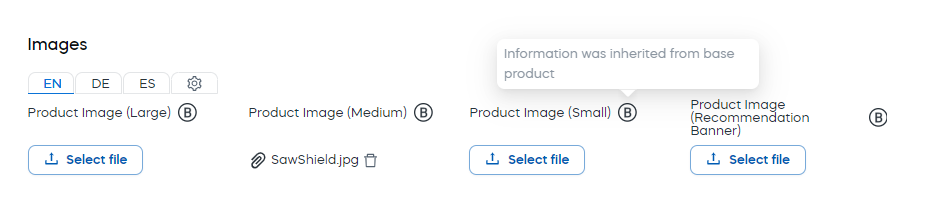
Inherited fields are marked with a circled B. This makes it easier to see which information comes from the base product and which information was entered directly for the child product.
Use a base product for a product
To use a base product for a perpetual or recurring product:
-
Start creating or updating the perpetual, recurring or bundle product for which you want to use a base product.
-
In the Select base product (optional) drop-down list, select a base product.
-
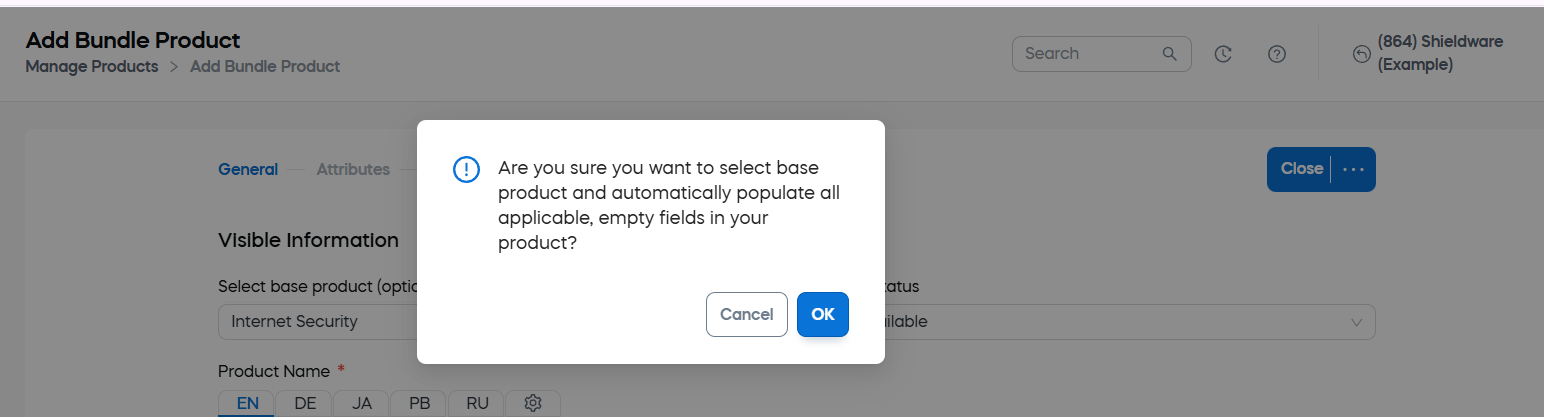
In a message appears asking whether you want to inherit information from the base product select one of the following options:
- OK: Automatically fills all applicable empty fields with information from the base product.
- Cancel: Keeps the child product's empty fields unchanged.
-
Review the inherited information. If a field has inherited information from the base product, a circled B appears next to the field.
-
Click Save and Close.
If you are not satisfied with the inherited information, click Discard and Close to reject the changes.
Override base product information
You can override inherited base product information when a child product needs a custom value.
To override base product information:
- Open the perpetual or recurring product that inherits information from a base product.
- Find the field that contains inherited information.
- Enter the new value in the field.
- Click Save and Close.
After you save the product, the custom value is used for this product instead of the value inherited from the base product.
Restore the base product value
If you override inherited information and later want to use the base product value again, click the reload symbol next to the field.

The field is reset to the value inherited from the base product.