Review purchases
Overview
Purchases are the associated records of the orders placed by customers on the Cleverbridge-hosted checkout pages. Each purchase is assigned a unique reference number and a status by the Cleverbridge platform. The status of a purchase describes the current state of the purchase, such as quote, paid, or refunded.
You can look for purchases on our platform in three ways:
- By purchase itself
- By subscription
- By customer
Access your current subscription purchases in SCM by clicking the Subscriptions tab within the Customers > Search section and introducing the Subscription ID of the subscription you're looking for. The search result displays all previous billing details of the subscription.


Search for a purchase
You have three options to search for a purchase in SCM.
Standard search
Our Standard Search allows you to look up only one purchase at a time. You can enter one or more of the following keywords into the search bar:
- Reference number
- Last name
- Company
- Last 4 digits of credit card.
- Subscription ID
- @emaildomain
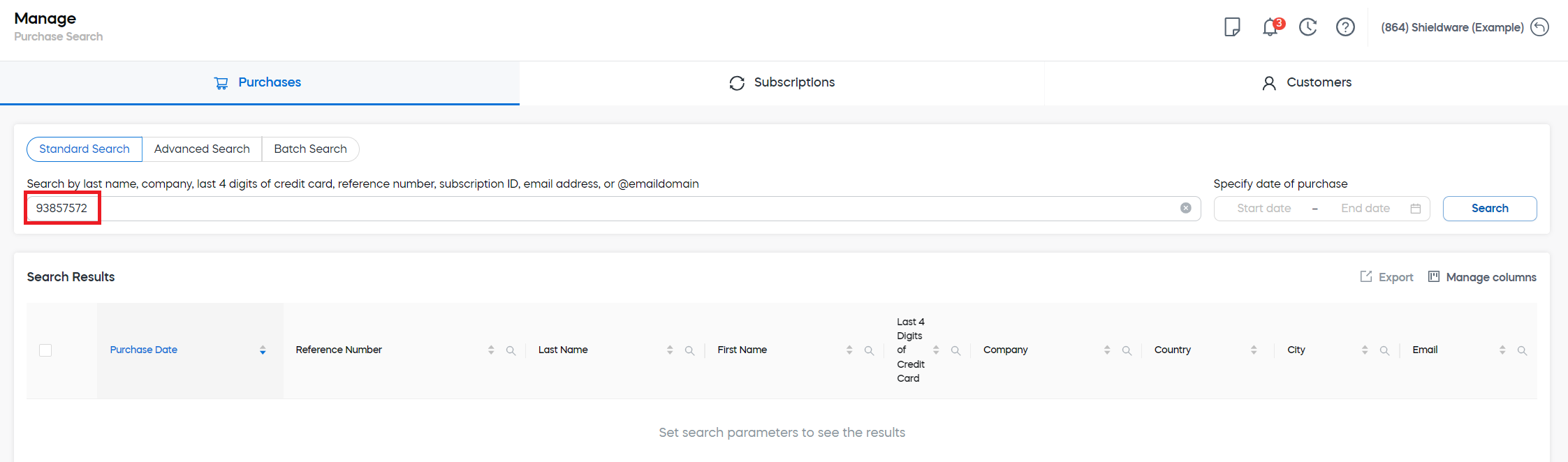
If you enter more than one keyword, they must be separated by a comma.
Advanced search
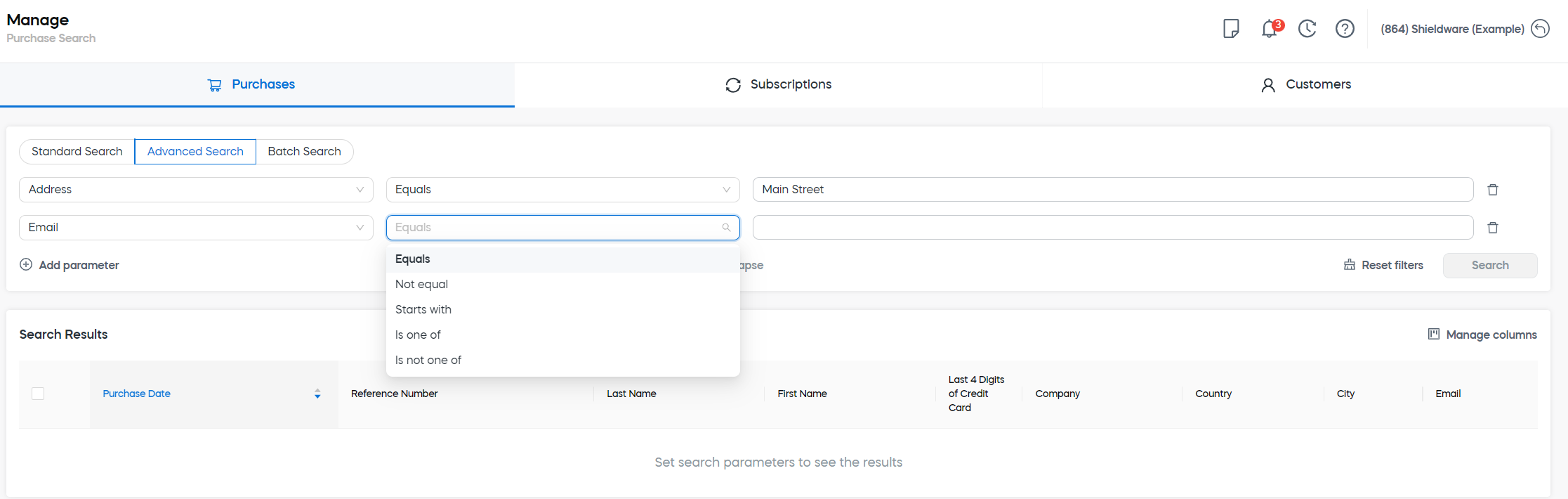
Our Advanced Search offers you a more granular search using precise parameters and operators. You can pick one or more parameters, select an operator for each parameter, and enter a term for each parameter.
Batch search
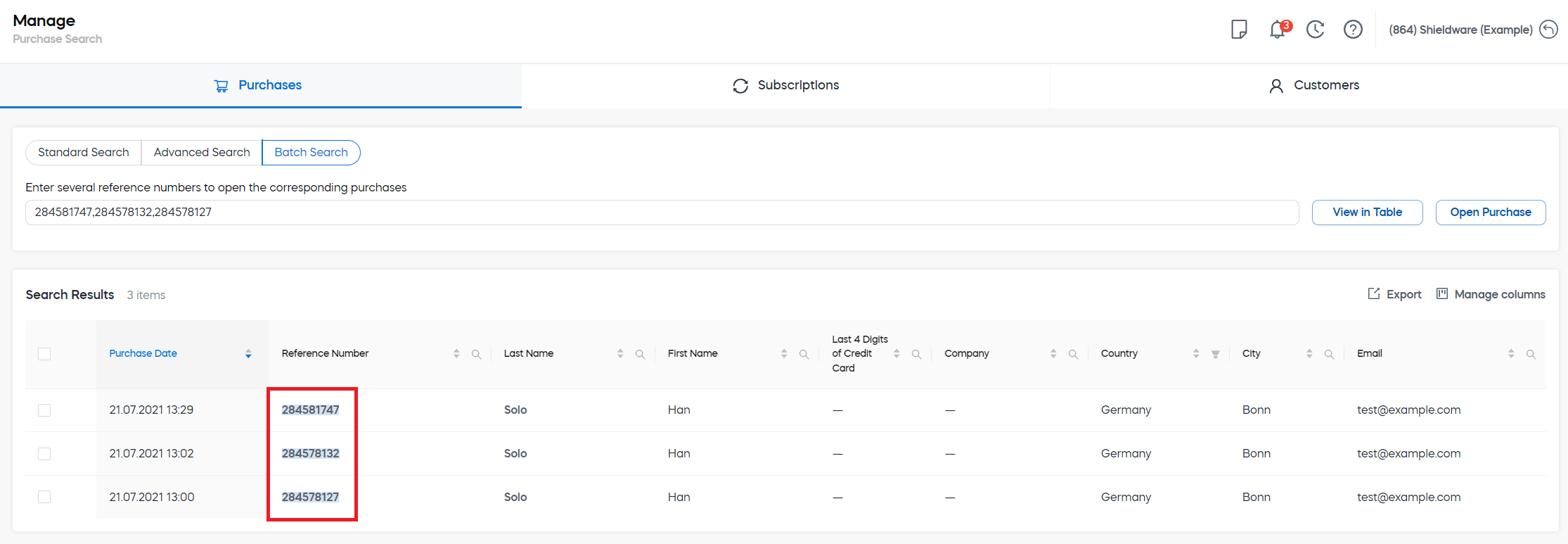
Our Batch Search allows you to search multiple purchases at once using several reference numbers.
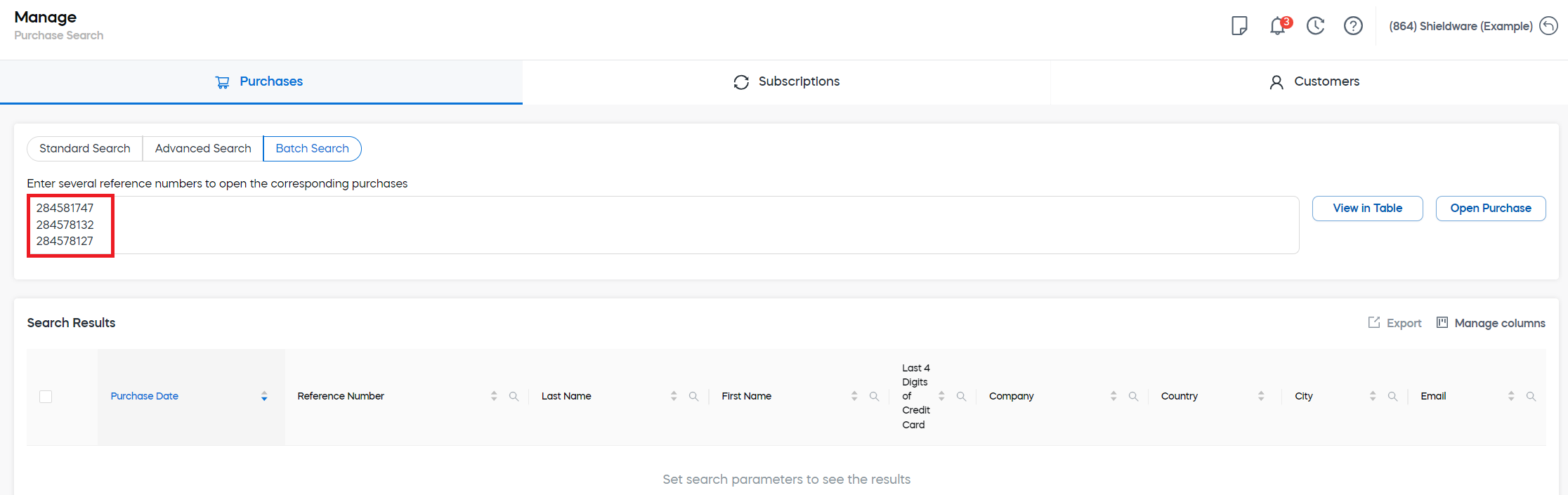
While searching for many purchases, you can either see the results in a table or open each purchase.
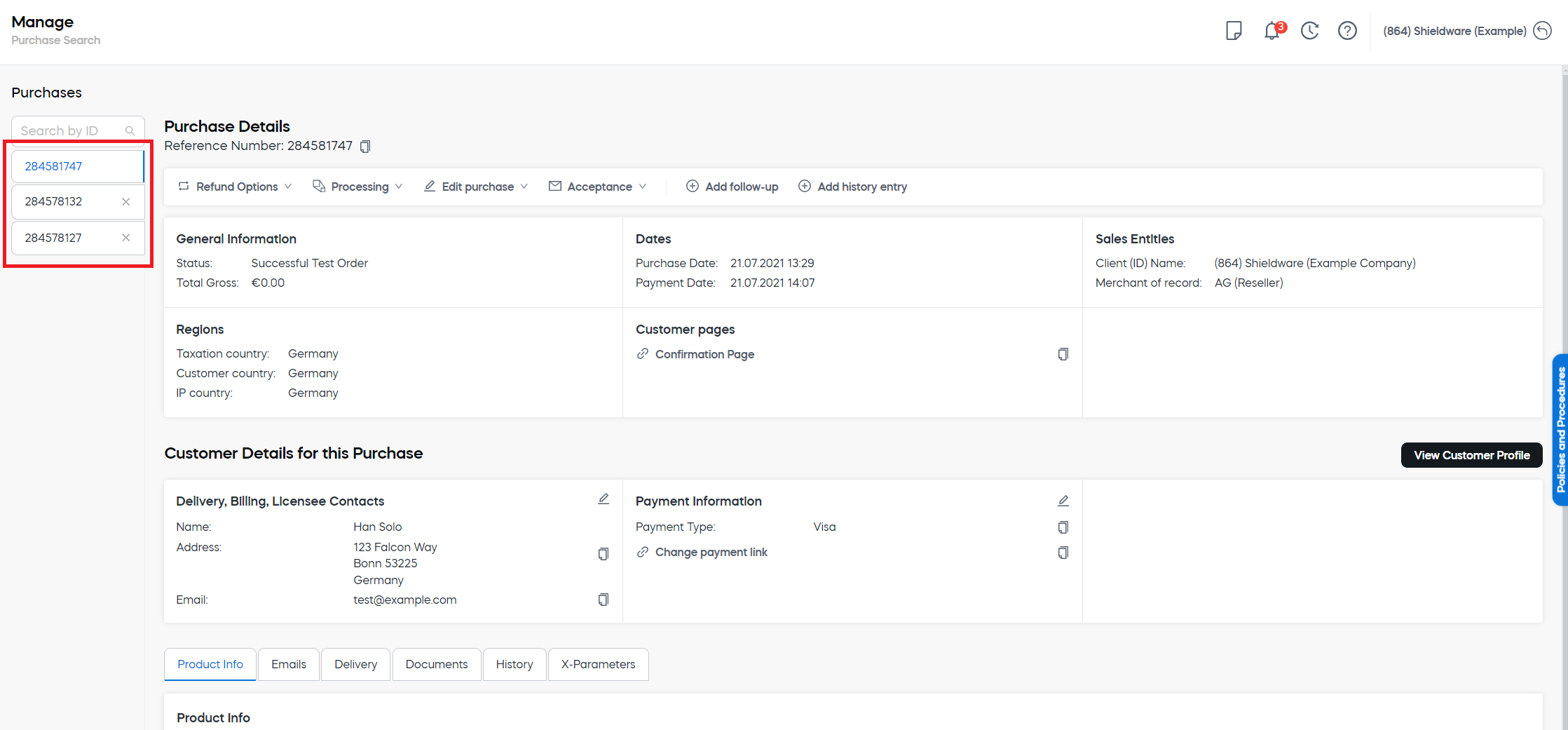
To view purchases in Commerce Assistant (CA), see Purchases.
Purchase viewer
The purchase viewer is used to view transactional records related to customer orders. In the purchase viewer, you can find the following options and information:
Purchase overview
The purchase overview area displays payment and customer details including status and delivery information.
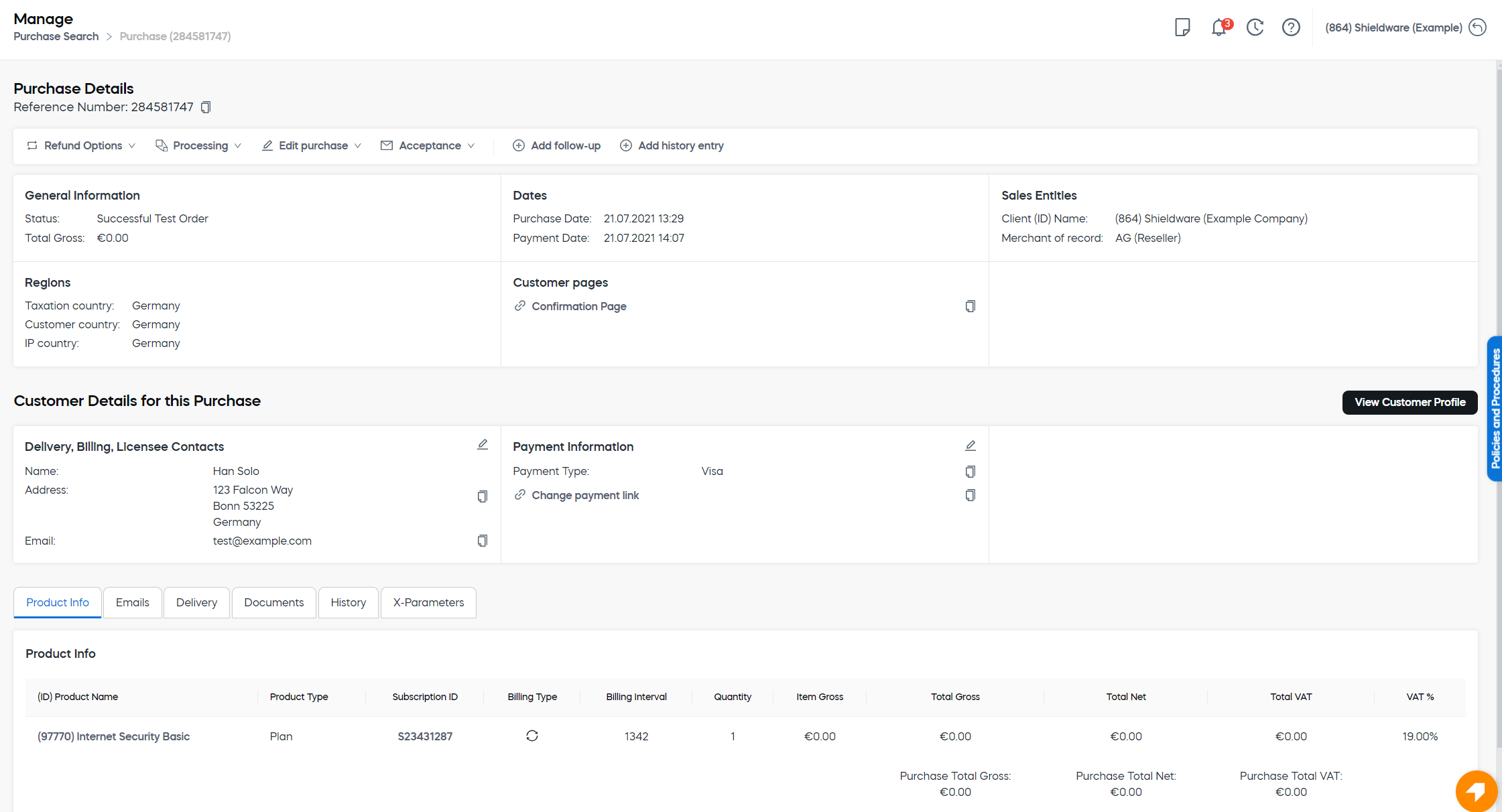
Action buttons

- Product info
- Emails
- Delivery
- Documents
- History
- x-Parameters
Product info tab
Emails tab
The Emails tab displays all emails generated by the Cleverbridge platform related to the purchase or subscription. These emails typically correspond to customer notifications following events in the purchase and subscription processes. If you have configured your notifications to be delivered via email, those notifications will also be visible here. For more information, see Manage emails.
Possible email statuses
The email status can have one of the following values:
- Sent: The email has been successfully sent to the customer.
- Delivered: The email has been successfully delivered to the customer's email server.
- Opened: The customer received the email and opened it.
- Clicked: The customer clicked one or more links in the email.
- Bounced: The email was sent to the customer, but their email server has permanently rejected it.
- Rejected: The email has been sent, but our platform determined that it contained a virus and didn't attempt to deliver it to the customer's email server.
- Complaint: The email has been successfully delivered to the customer's email server, but they marked it as spam.
Delivery tab
Documents tab
History tab
The History tab displays all the history entries introduced by Customer Support regarding the purchase. For more information, see History entries.
x-Parameters tab
If x-parameters were included in the URL for this order, they display here. If a parameter should have been included in the URL for revenue tracking and reporting purposes, click + Add new to add parameters.