View, edit, and delete products
Overview
In SCM, you can view product details, edit existing product information, or delete products that are no longer needed.
View product details
You can view a read-only version of a product's details.
To view product details:
-
Go to Configure > Manage Products.
-
Search for the product you want to view.
-
Click the ... menu to the right of the product and select View details.
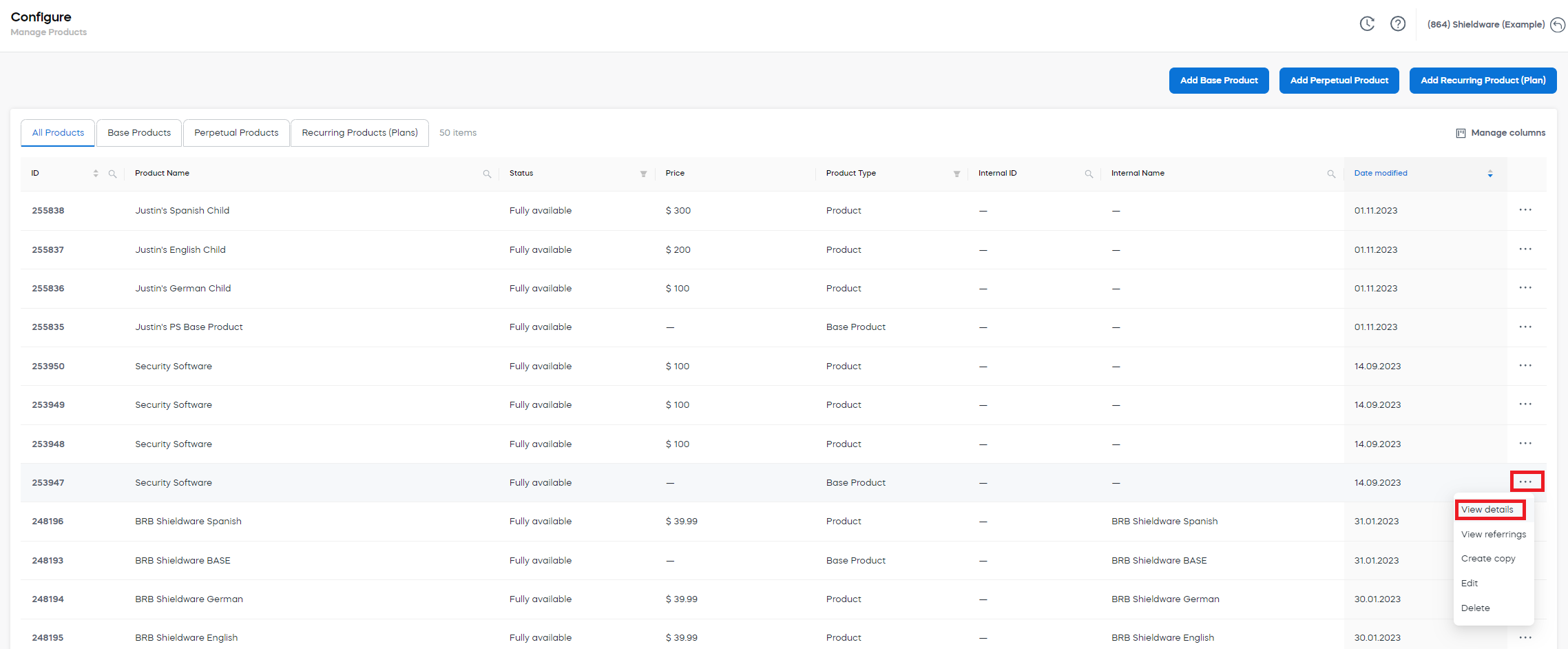
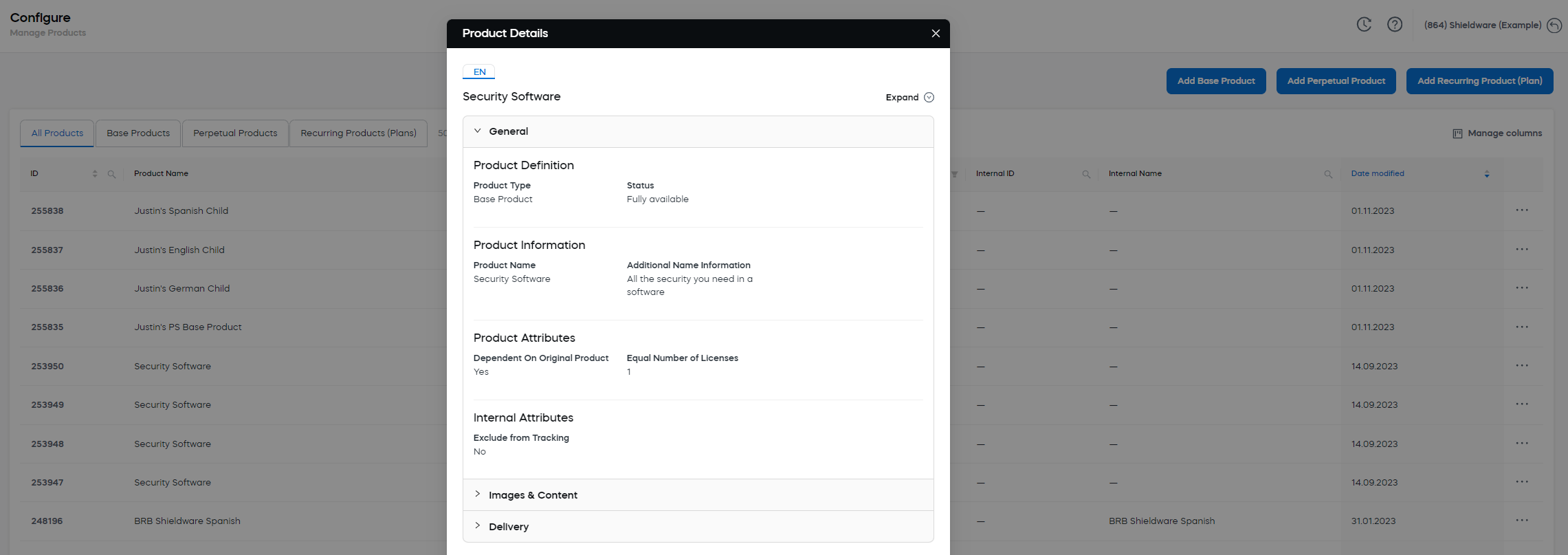
A read-only window with the product details opens.
Edit a product
To edit a product:
-
Go to Configure > Manage Products.
-
Search for the product you want to edit.
-
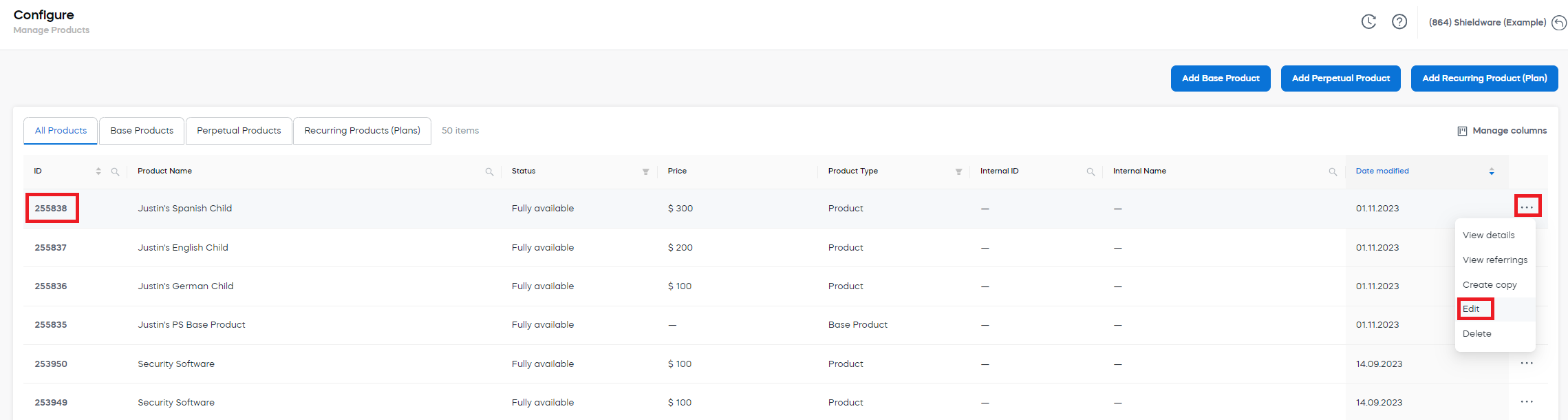
Select the product ID, or click the ... menu to the right of the product and select Edit.
-
Edit the information in the product wizard.
-
Click Save and Close.
For information about product setup fields, see Shared product settings.
Delete a product
You can only delete products that have not been sold to customers or packaged with other products.
To delete a product:
-
Go to Configure > Manage Products.
-
Search for the product you want to delete.
-
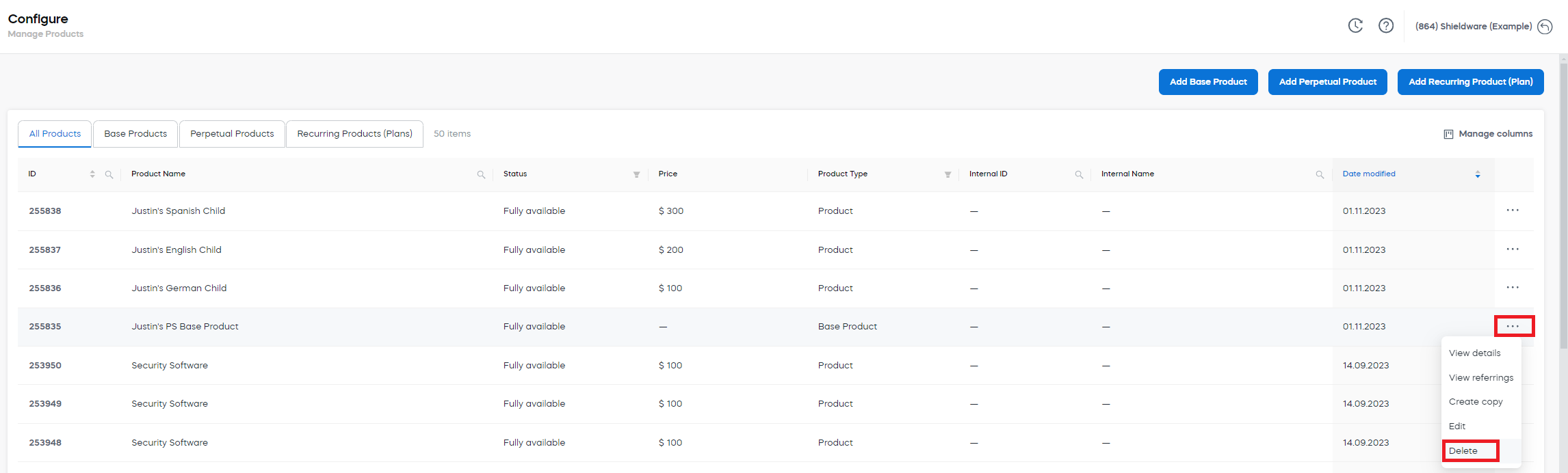
Click the ... menu to the right of the product and select Delete.
-
In the confirmation dialog, click OK.