Product lists
Overview
Product lists group products by type, purpose, or business logic. Use them when specific products need to be included in or excluded from a defined group, for example for payment processes, affiliate commission logic, product families, security products, or other product-based workflows.
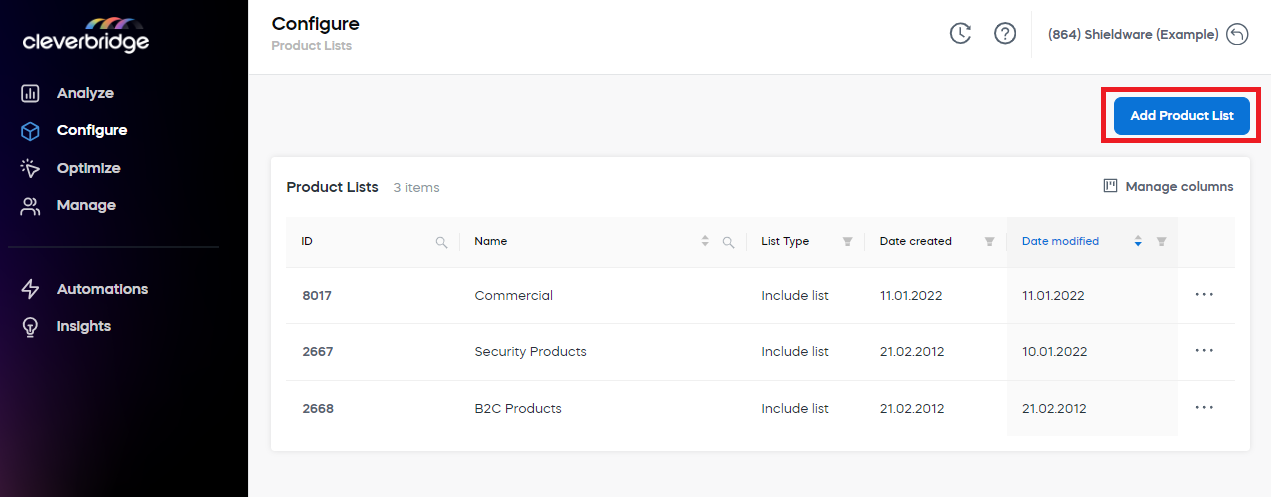
To access product lists in SCM, go to Configure > Product Lists.
Add a product list
To add a product list:
-
Go to Configure > Product Lists in SCM.
-
Click Add Product List.
-
Enter a name for the product list.
-
From the List Type drop-down menu, select Include List or Exclude List.
-
Search for and select the products that you want to include in or exclude from the list.
-
Click Submit.
For instructions on how to add a product list in Commerce Assistant (CA), see Product Lists.
Choose a list type
When you create a product list, select one of the following list types:
View product lists
The Product Lists dashboard displays all product lists created by account users.