Offer Boleto Flash and Pix payments
Overview
Boleto Flash provides an online boleto page from which the customer can copy payment details into a banking app. If Pix is available on the boleto, the customer can instead scan a QR code or copy the Pix code.
This page explains Boleto Flash and Pix from the client's perspective. You can share the Pay with Boleto Flash or Pix guide with customers who need help completing the payment.
Methods at a glance
The Banco Central do Brasil describes Pix as an instant-payment scheme that can be initiated with a QR code and can promptly notify payer and payee of completion. See the official Pix overview.
Why offer Boleto Flash or Pix?
These flows give customers in Brazil a bank-app payment experience using locally familiar payment details or Pix. Pix reduces manual entry when a QR code is available, while the boleto-based path remains available for the documented online-slip experience.
Order flow
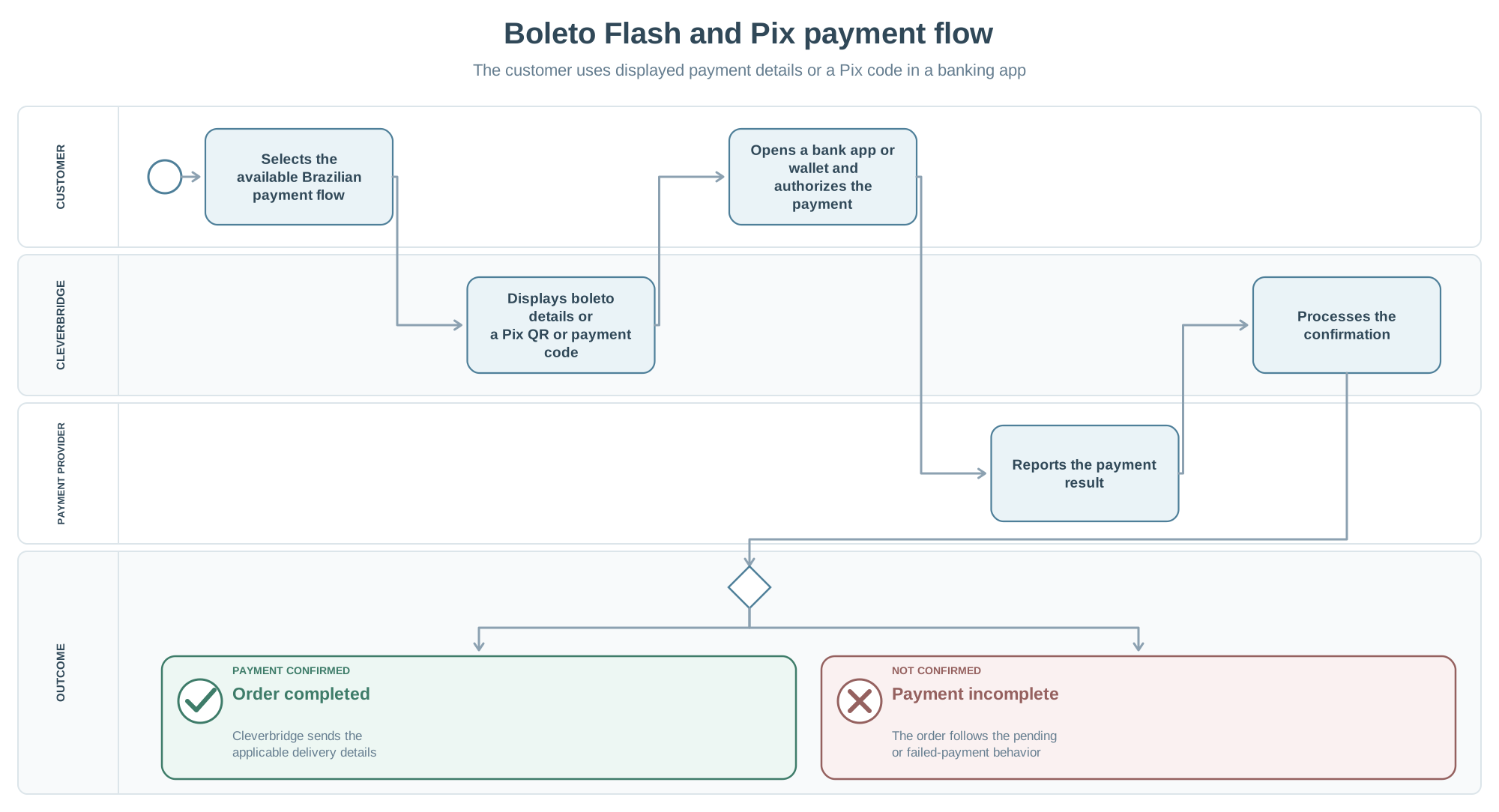
- The customer selects the available Boleto Flash or Pix flow and confirms the order.
- Cleverbridge displays the online boleto, payment details, or Pix QR code.
- The customer authorizes the payment in a bank app or digital wallet.
- After Cleverbridge receives payment confirmation, Cleverbridge sends the delivery details.