Offer Klarna Pay Now
Overview
Klarna Pay Now lets eligible customers pay in full through the payment options Klarna presents for their market, including the documented Online Bank Transfer (Sofort) and Bank Account (Direct Debit) flows.
To add Klarna Pay Now to your checkout, contact Client Experience.
Klarna Pay Now at a glance
Klarna's current descriptors present Pay Now as payment in full today, while the exact payment instruments vary by market. See Klarna's official localized payment descriptors.
Why offer Klarna Pay Now?
Klarna Pay Now lets eligible customers use an immediate-payment option Klarna presents for their market. The documented Cleverbridge flows support both purchases and subscription scenarios, with different payment instruments for automatic and manual renewals.
This page explains Klarna Pay Now from the client's perspective. You can share the Pay with Klarna Pay Now guide with customers who need help completing a payment.
Cleverbridge flows
- Purchase
- Auto-renewal
- Manual renewal
Purchase
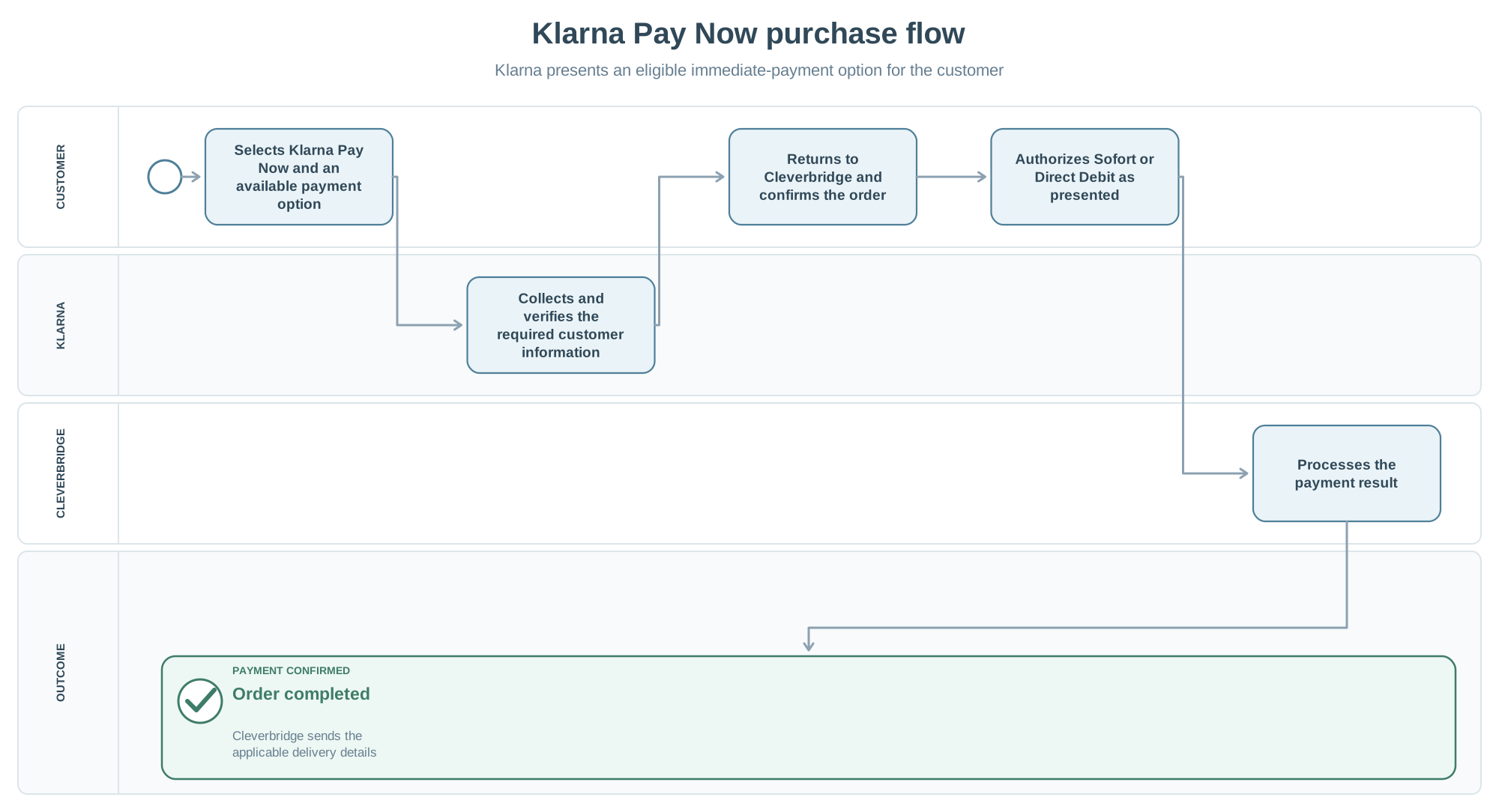
- The customer selects Klarna Pay Now and chooses Sofort or Direct Debit when offered.
- Klarna collects and verifies the required customer information.
- The customer returns to Cleverbridge, reviews the order, and selects Buy Now.
- For Sofort, the customer authorizes the payment through online banking. For Direct Debit, the customer enters the IBAN and authorizes the debit.
- Cleverbridge processes the result and displays the delivery details.
Auto-renewal
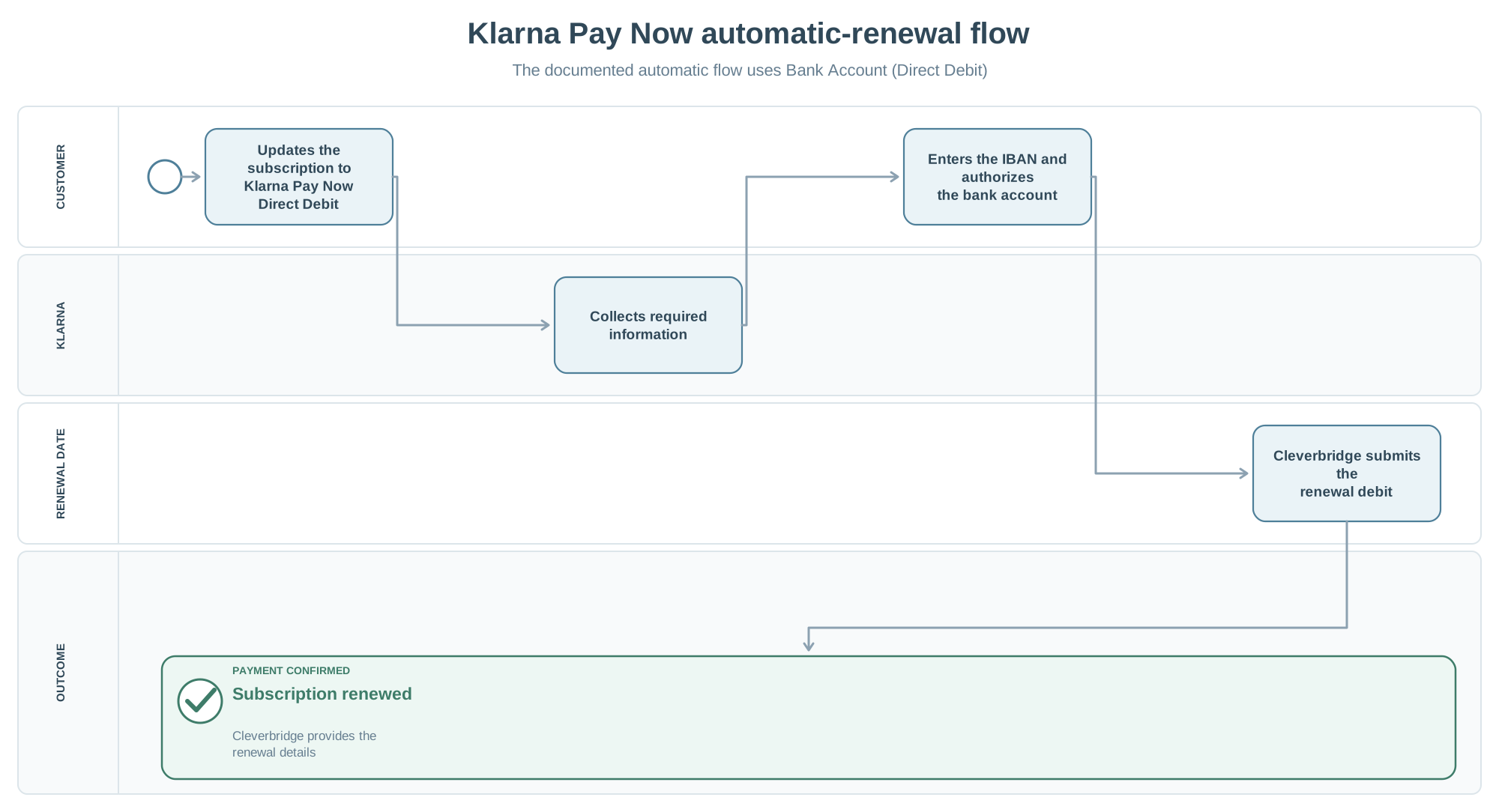
The documented automatic-renewal flow uses Bank Account (Direct Debit) when the customer updates subscription payment details before the due date:
- Klarna collects and verifies any missing customer information.
- The customer authorizes the bank account by entering the IBAN.
- Cleverbridge stores Klarna Pay Now (Direct Debit) as the subscription payment method.
- On the renewal date, Cleverbridge submits the debit and provides the renewal details.
Manual renewal
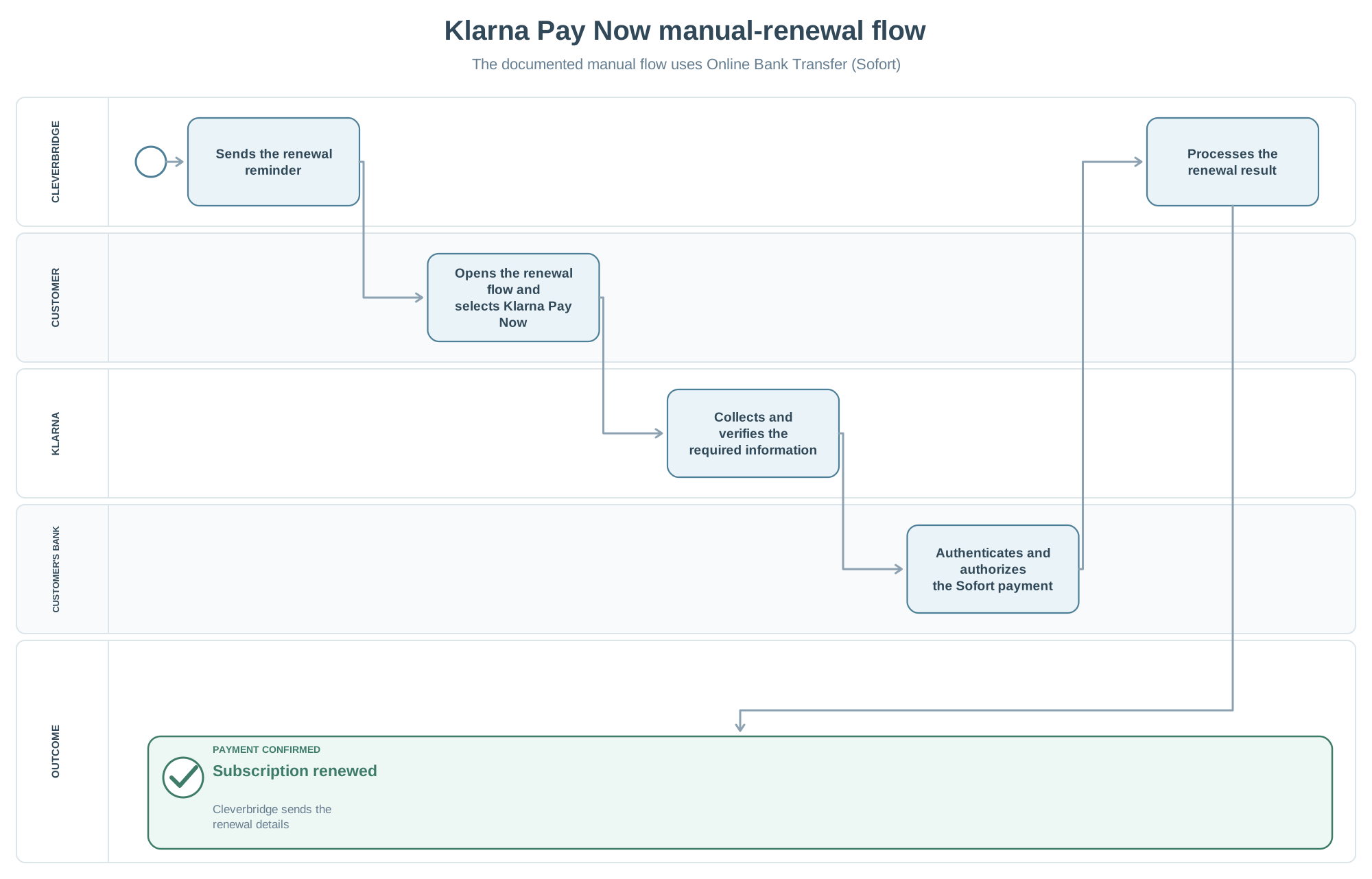
The documented manual-renewal flow uses Online Bank Transfer (Sofort):
- Cleverbridge sends a reminder seven days before the renewal date.
- The customer opens the renewal flow and selects Klarna Pay Now and Sofort.
- Klarna collects and verifies the required information.
- The customer authorizes the transaction through online banking.
- Cleverbridge processes the renewal and sends the renewal details.
Operational considerations
Unsupported country
In the currently documented flow, if the customer submits Klarna from an unsupported country, Klarna declines the payment and Cleverbridge lets the customer choose another method. Klarna is then no longer presented as an option.
Customer contact details
Details entered in the Klarna form are not automatically copied to the Cleverbridge checkout. Ask customers to review the Cleverbridge billing details before submitting the order; changes required after submission must be handled in the appropriate system.
Return debit or chargeback
Return debit and chargeback scenarios are possible. The current article states that Klarna provides the necessary customer communication.