General settings
Overview
General settings define the core product information used to identify, display, categorize, and manage a product. These settings include customer-facing product information, product status, product images, category information, and internal product identifiers.
Used by product type
General product information
General product information covers the customer-facing and classification fields that identify a product in the Cleverbridge platform. Use this section to define the product name, subtitle, category, images, and optional base product inheritance.
You must include an English product name, even if your company uses another default language and only sells the product in this language. Failure to do so results in an Input Validation message when you try to save the product.
Product name and subtitle
The product name should be clear enough for customers to confirm that they are buying the right product. Avoid internal naming, abbreviations, or version codes that customers may not understand.
Use the product subtitle to distinguish similar products. For example, include the product edition, license type, subscription term, platform, key feature, or another short detail that helps customers choose the right option.
Because these fields do not support HTML, keep the text concise and readable. If you need longer formatted product information, use the product information or marketing description fields in the Attributes section.
Product category
Use Select a category to classify the product or service based on what the customer receives. Cleverbridge uses the selected category to understand the product type and to support processes that depend on that classification, including sales tax determination.
Select the category that most accurately describes the product's primary purpose, characteristics, and delivery method. Do not select a category based on the product name, price, billing model, internal owner, campaign, or reporting structure.
See the full list of available product categories.
The product category is one of several transaction details that can affect the applicable sales tax and pricing. Changing the product category of an existing product might affect the applicable sales tax and final pricing. The change is taken into account during the next renewal price calculation.
Images
Use Images when visual presentation helps customers confirm what they are buying. Images are most useful for branded software, product suites, bundles, or products that appear together in a selection.
Avoid images that are too detailed, text-heavy, or difficult to recognize at cart size. The image should support the purchase decision, not replace the product name or subtitle.
Base product inheritance
Use Select base product (optional) when multiple perpetual or recurring products should inherit shared information from a common template.
Base product inheritance can reduce manual setup work and keep product information consistent. Use it only when the inherited information is truly shared. If a product needs different customer-facing or internal information, review the inherited fields before saving.
For details about base product inheritance, see Use a base product.
Product status
The Product Status option determines how the product is used in the Cleverbridge platform. The setting is available at the top of the General section of the product setup.
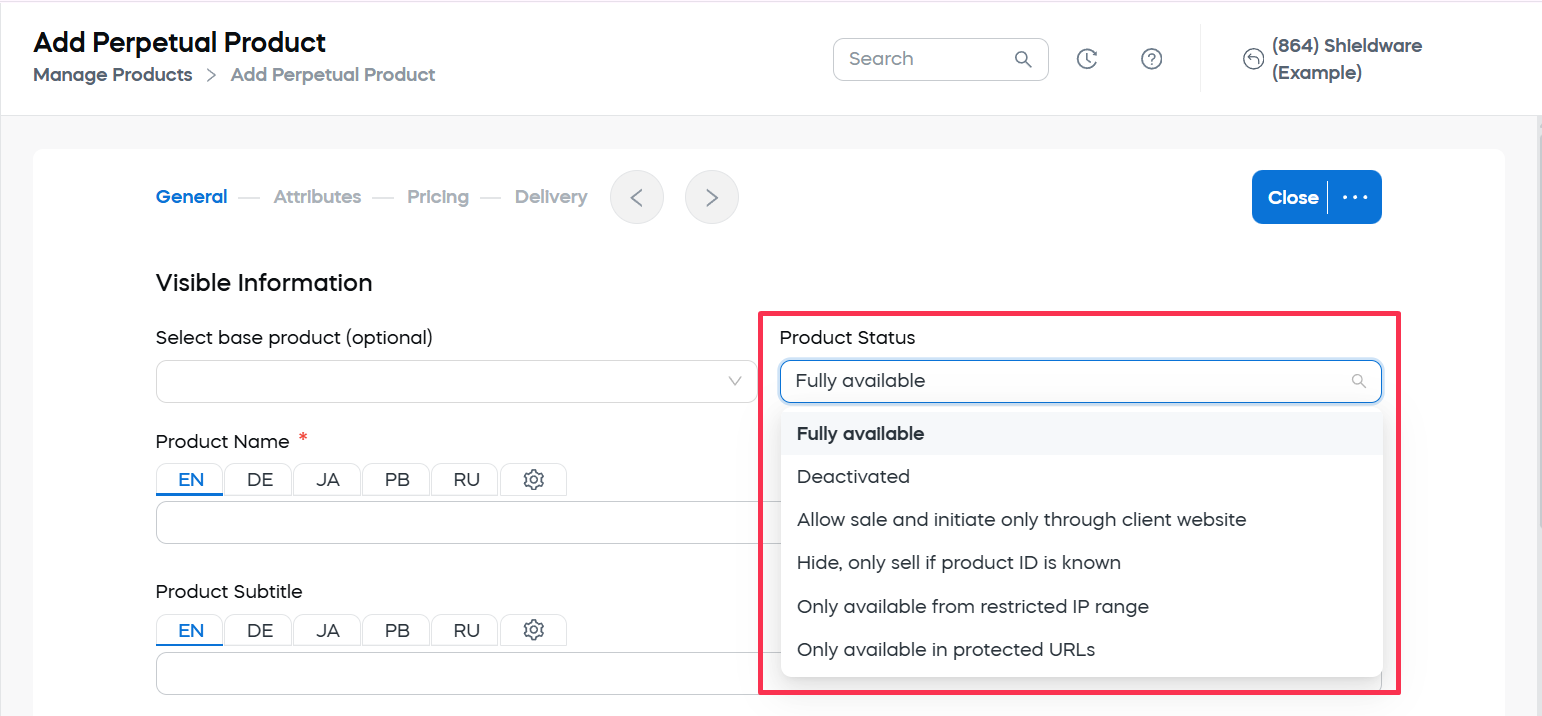
Before changing a product status, consider whether existing links, campaigns, support workflows, or internal test flows depend on the current status.
Internal product information
Internal product information helps you map Cleverbridge products to your own product names, categories, or IDs. The setting is available at the bottom of the General section of the product setup.
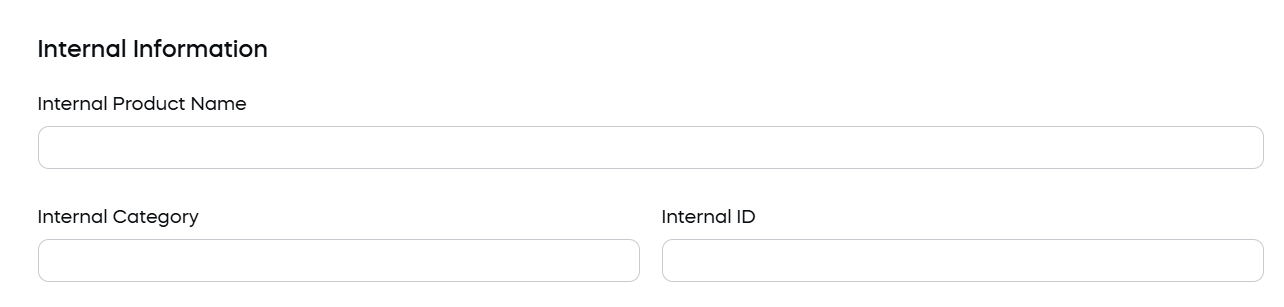
This information is mainly used for organization, reporting, integrations, and internal product management.
Internal Category is separate from Select a category:
- Select a category describes the product or service for Cleverbridge and can affect processes such as sales tax determination.
- Internal Category is defined by you for internal organization and reporting.
Do not use Internal Category as a replacement for Select a category. For more information, see Product category.
If Internal Product Name is defined, this name is used throughout the Cleverbridge platform instead of the name defined in Product Name. In the checkout process, customers still see the main product name and not the internal name.
Use an internal ID in checkout
To use your internal product ID in the checkout process, submit the internal ID as a cart parameter and prefix it with the capital letter I.
Use the selection format when you want to preselect a specific option in a product selection. For example, if you offer subscription options such as 6 months, 1 year, and 2 years, you can use the internal ID of the 1-year subscription product to preselect that option for the customer.