Pay with WeChat Pay
Overview
WeChat Pay is available only when the checkout uses China as the country and Chinese yuan (CNY) as the currency.
If WeChat Pay is available to you in China, you can start the payment in the Cleverbridge checkout and authorize it by scanning a QR code with the WeChat app.
The video and screenshots are for illustration purposes only. The checkout and payment pages may look different.
Before you start
- Make sure the WeChat app is installed and that you can use WeChat Pay.
- Keep the Cleverbridge email for the order. It contains the link you need if you do not finish the payment on the first attempt.
Complete the payment
-
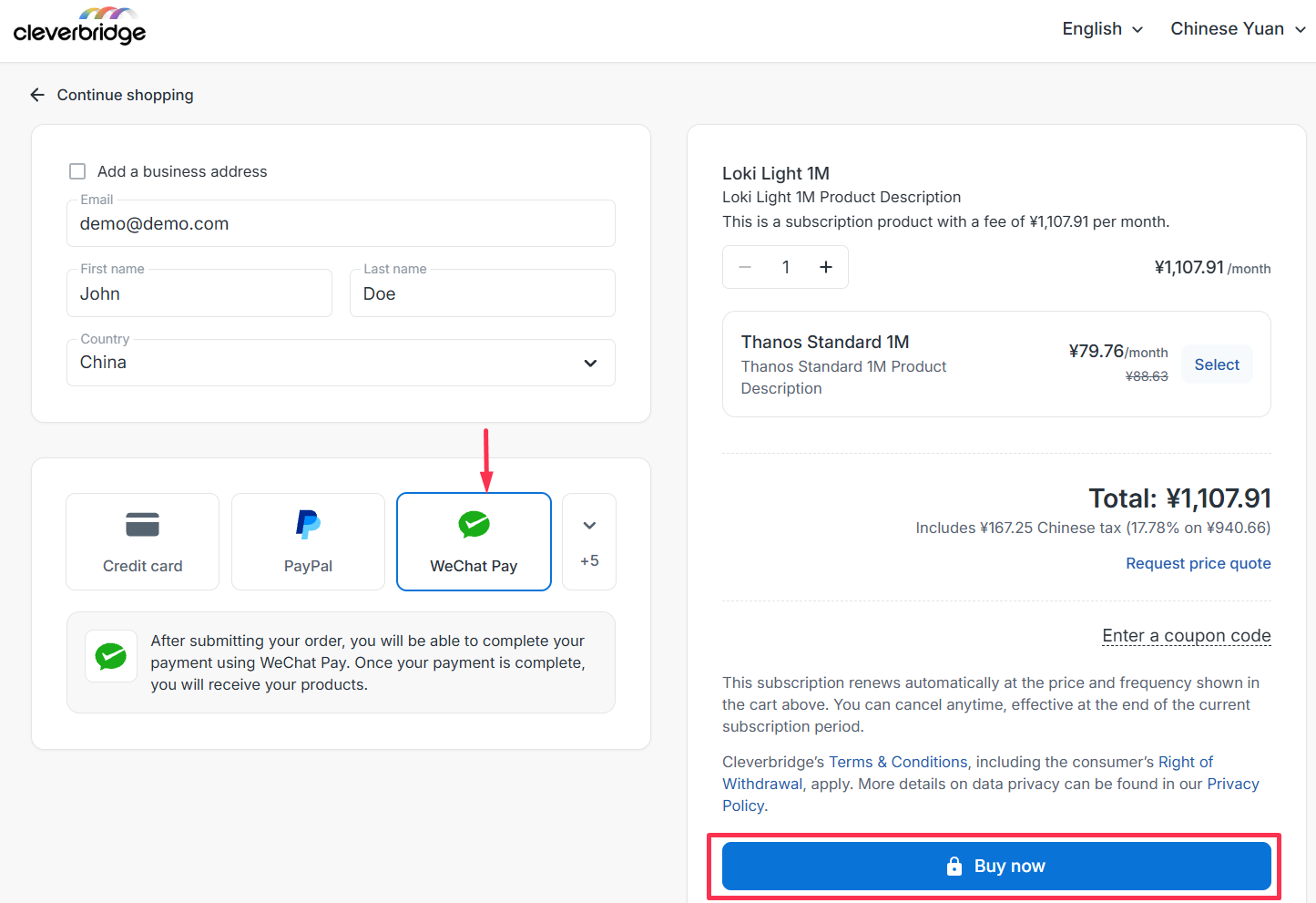
On the Cleverbridge checkout, select WeChat Pay.
-
Enter your required information and select Buy now.
-
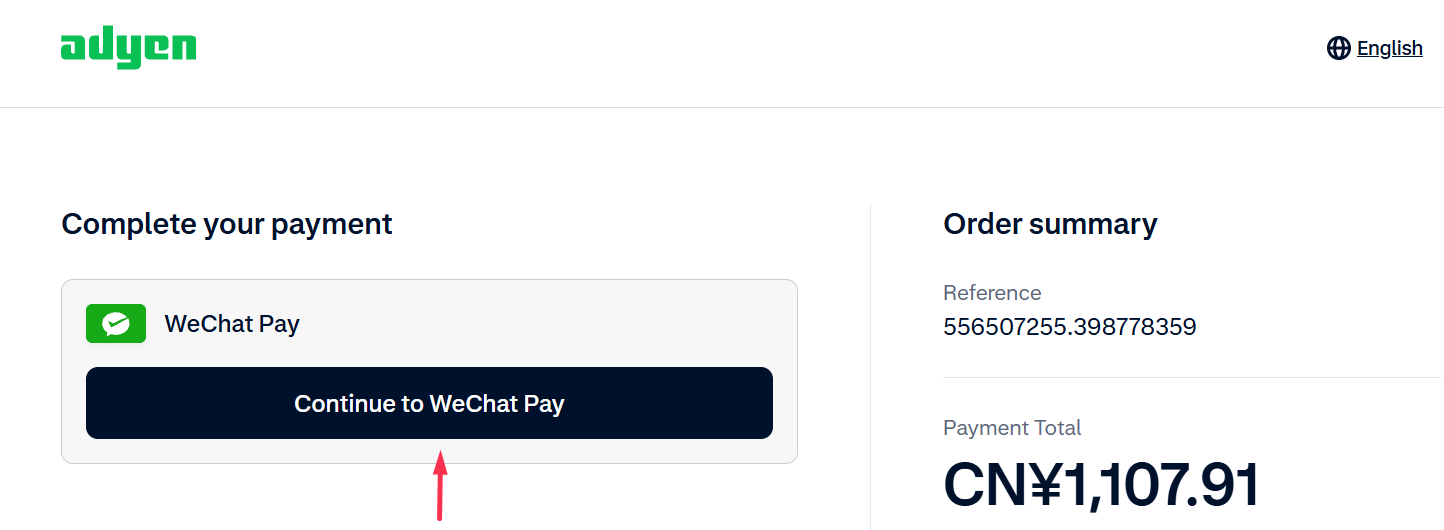
On the hosted payment page, review the purchase reference and amount. Select Continue to WeChat Pay.
-
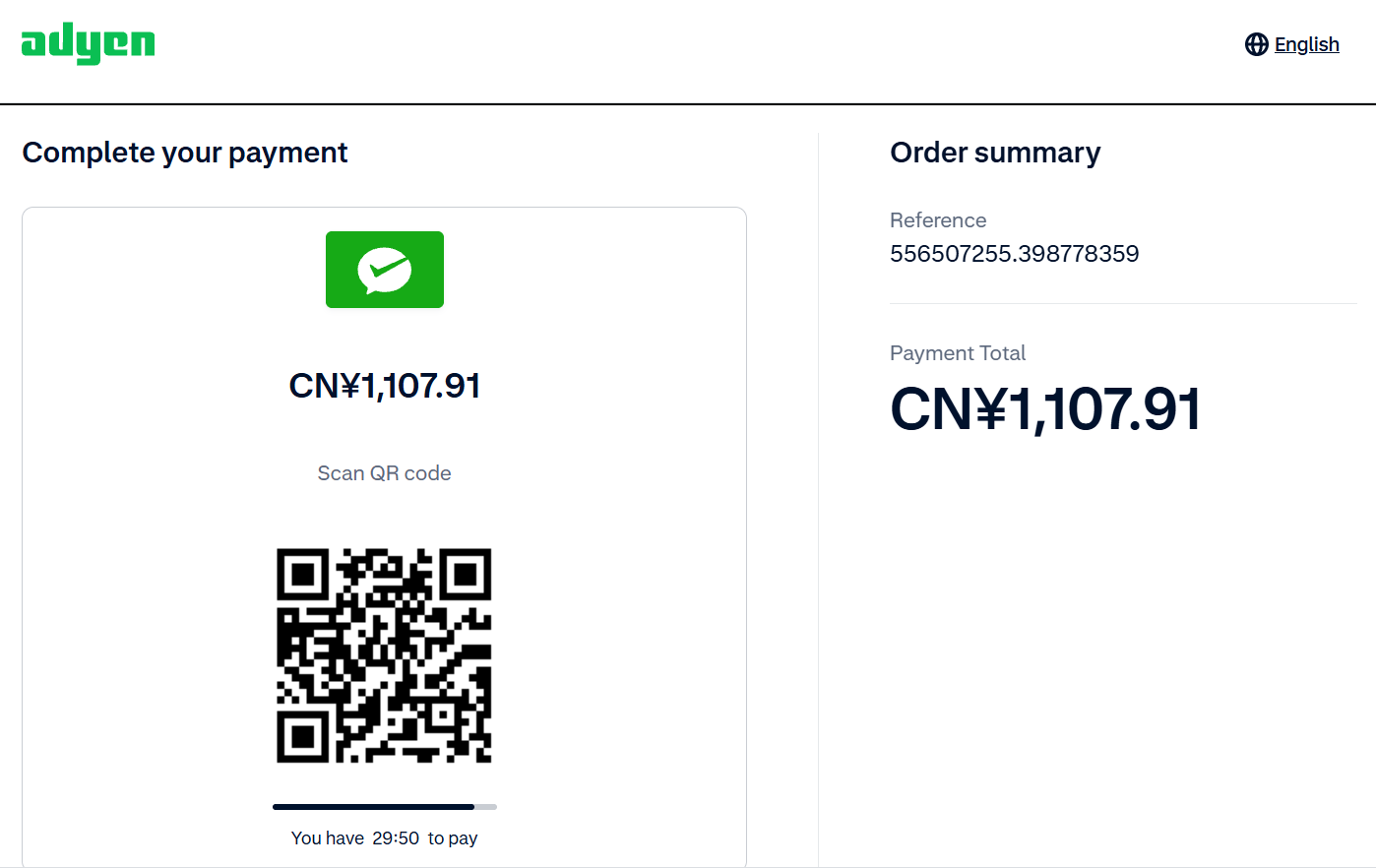
Scan the QR code with the WeChat app and authorize the payment within 30 minutes.
-
After the payment flow finishes, return to the Cleverbridge confirmation page.
-
Cleverbridge updates the order after receiving confirmation of the payment. After confirmation, your product is delivered and the invoice becomes available.
If you do not finish the payment
If you leave the hosted flow or the QR code expires before you complete the payment, Cleverbridge shows the Complete your payment page. Your order remains Awaiting Offline Payment. You cannot reopen WeChat Pay from this page.
To try again:
- Open the Cleverbridge email for the order.
- Select the payment link in the email.
- Complete the hosted payment flow by scanning the new QR code with the WeChat app.
To use a different payment method instead, select Change Payment in the email. WeChat Pay is not available in the change-payment flow, so choose another available method. To retry with WeChat Pay, use the payment link in the email rather than Change Payment.
If your payment is not authorized
If WeChat Pay rejects the payment, Cleverbridge shows Payment not authorized. Check the Cleverbridge email for the order and follow its instructions to retry the payment.
Pay for a subscription renewal
WeChat Pay does not support automatic renewal payments. For every renewal, open the payment reminder from Cleverbridge and complete a new WeChat Pay payment manually.
If Cleverbridge does not receive the renewal payment, the subscription can move to Hold. After the payment is confirmed, Cleverbridge updates the purchase to Paid.
Refunds
WeChat Pay supports full and partial refunds. After Cleverbridge issues a refund, the payment service determines when the refunded amount appears in your wallet.
If you have questions about a refund or it does not appear in your wallet, contact Cleverbridge Customer Support. Include your Cleverbridge order reference and refund confirmation.
Get help
If the order remains unpaid after WeChat confirms the payment, contact Cleverbridge Customer Support. Include the Cleverbridge order reference and your WeChat Pay payment confirmation.