Pay with Net Banking
Overview
Net Banking lets eligible customers in India pay directly from a supported bank account. A one-time purchase uses an online bank payment; an eligible subscription uses an eNACH mandate for future debits.
Screenshots are for illustration purposes only. The checkout and bank pages may look different.
Before you start
- Use an account with a bank that supports the selected Net Banking flow.
- For a subscription, have the account number, account holder's name, and account type available. Select Current or Savings to match the bank account.
- Make sure that you can sign in to the bank and complete its authentication.
Pay for a one-time purchase
-
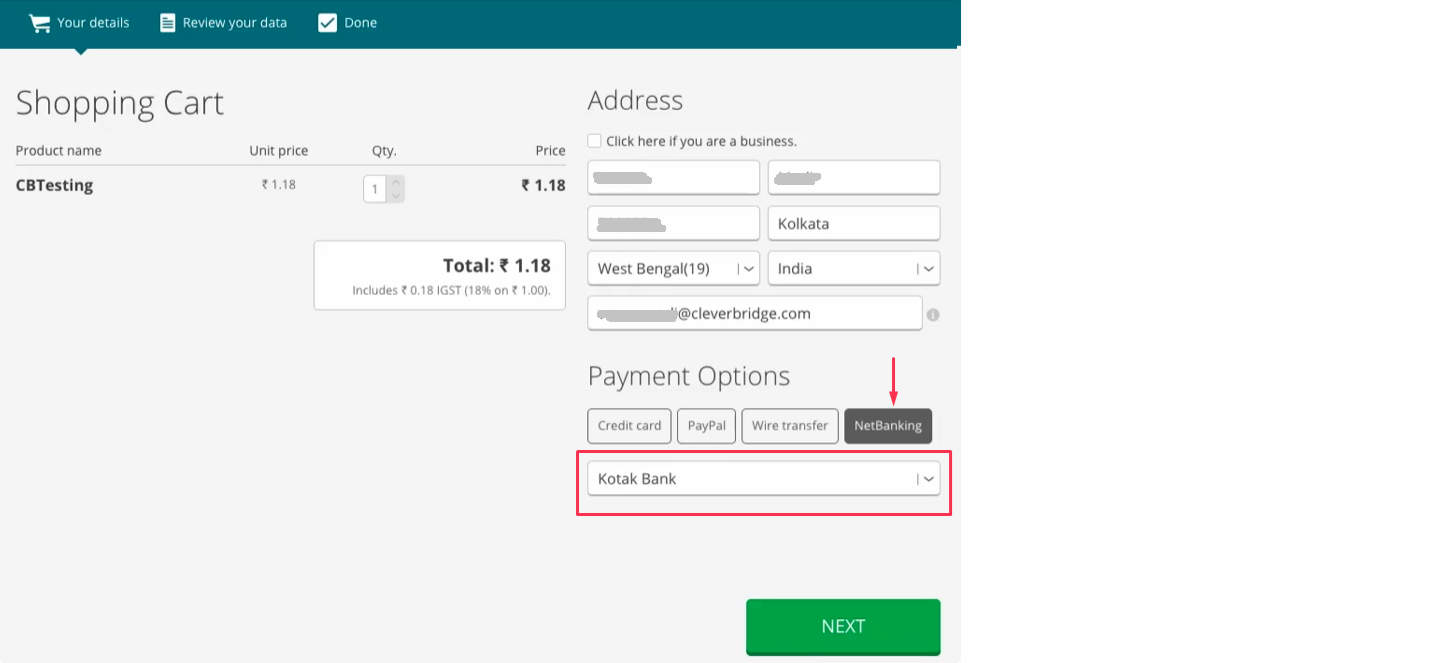
On the Cleverbridge checkout, select NetBanking and choose your bank.
-
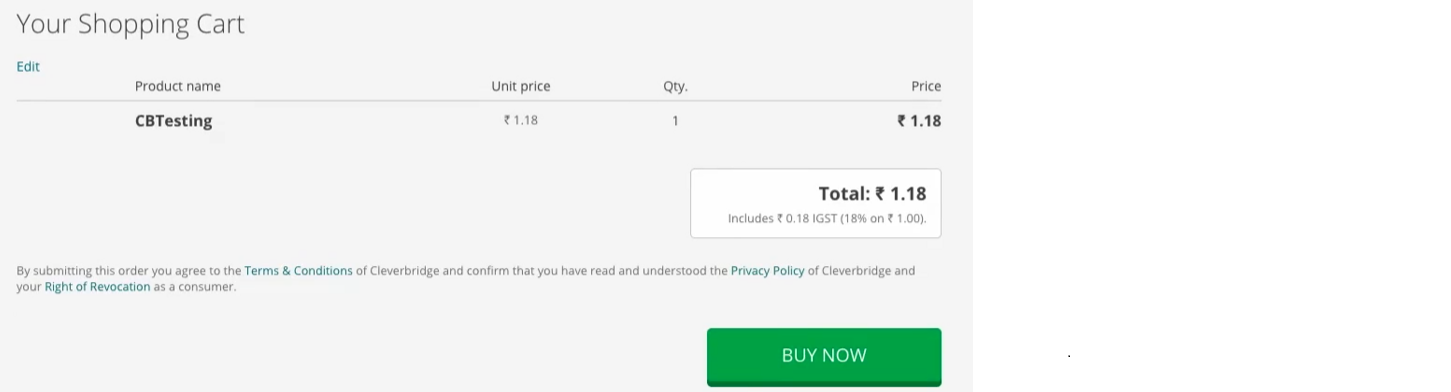
Review the order and confirm the purchase. Cleverbridge creates the purchase with the status Awaiting Offline Payment.
-
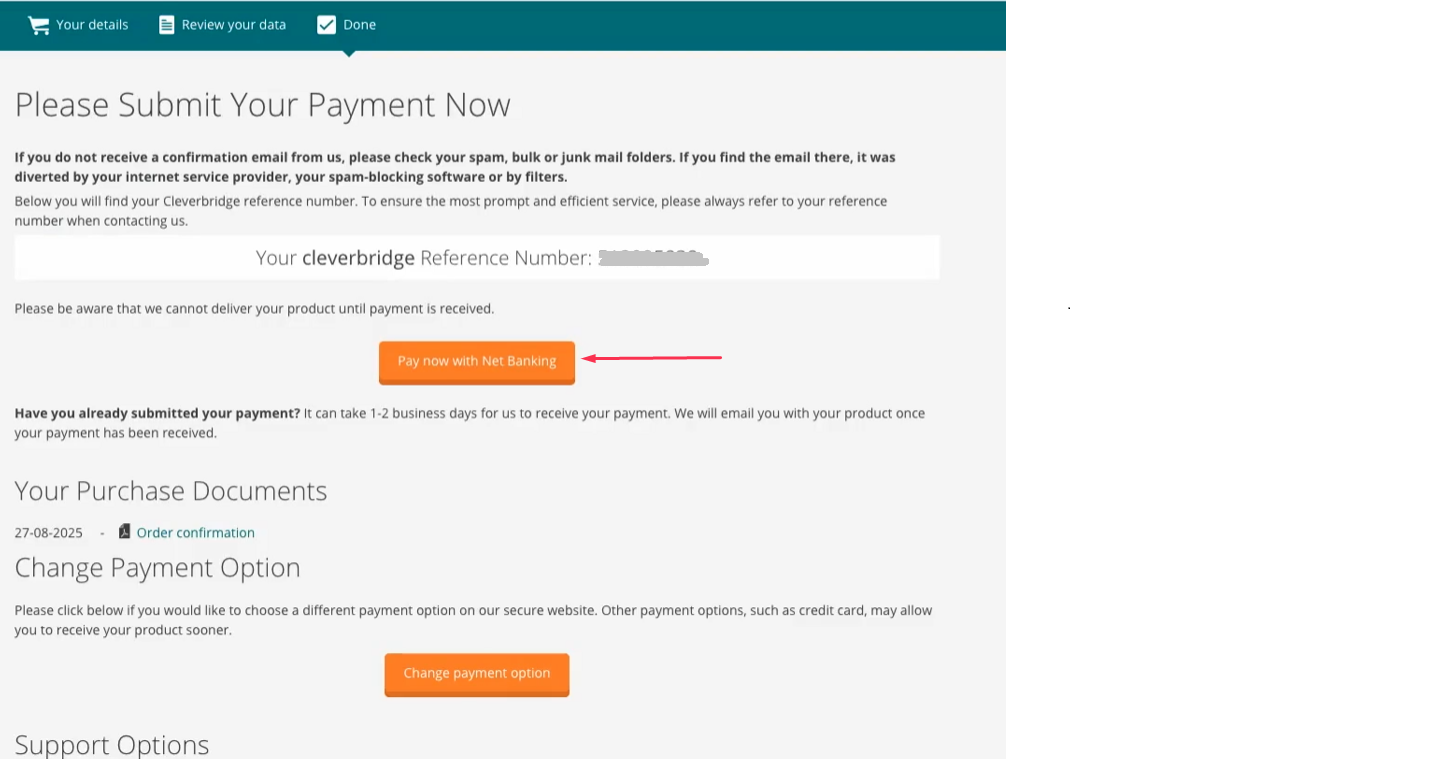
Select the option to submit the payment.
-
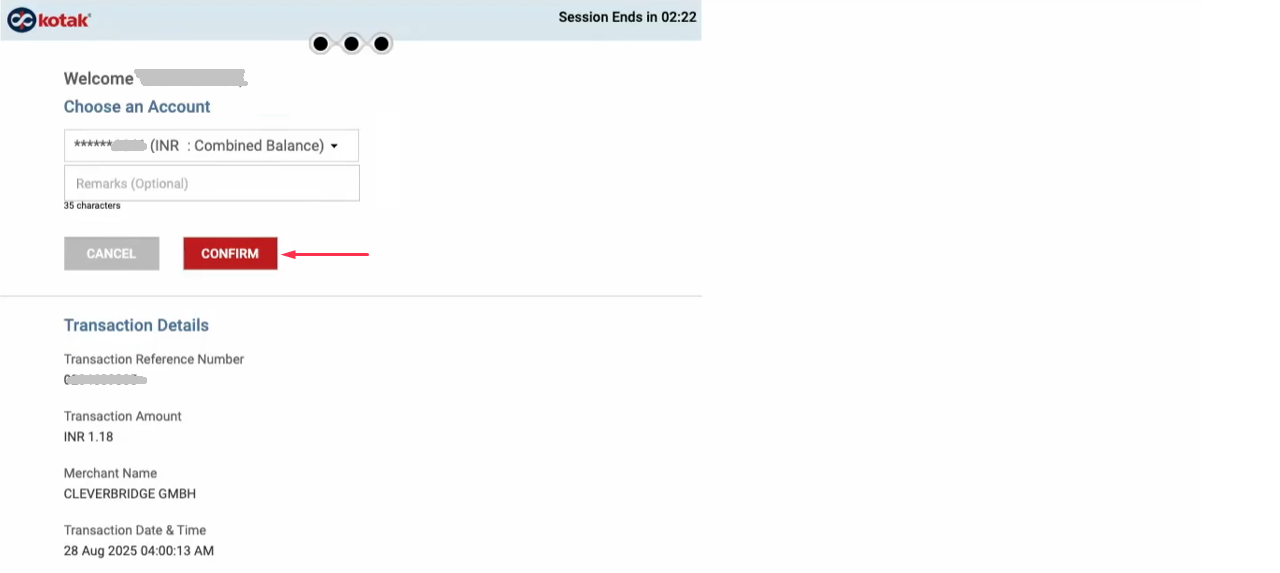
On your bank's portal, sign in and approve the payment.
-
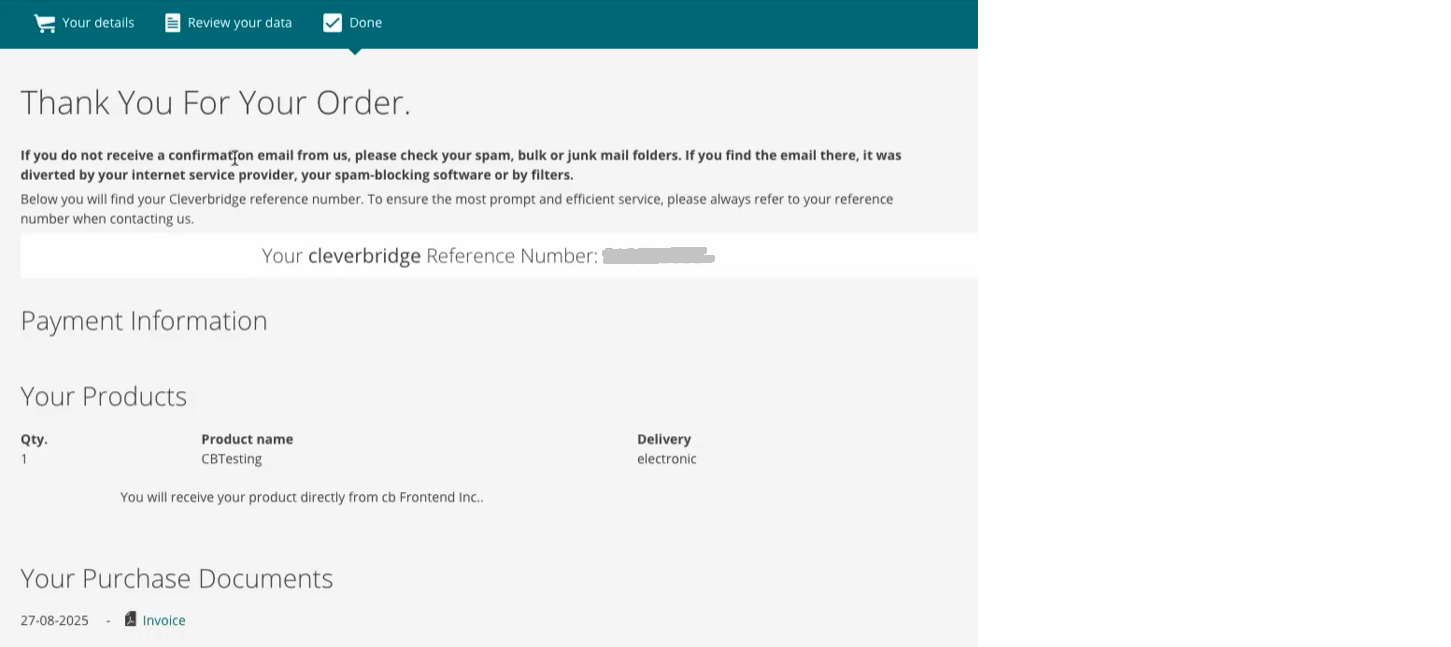
After the payment is confirmed, Cleverbridge updates the purchase to Paid and returns you to the confirmation page. If the page does not update automatically, refresh it before trying another payment.
Pay for a subscription
-
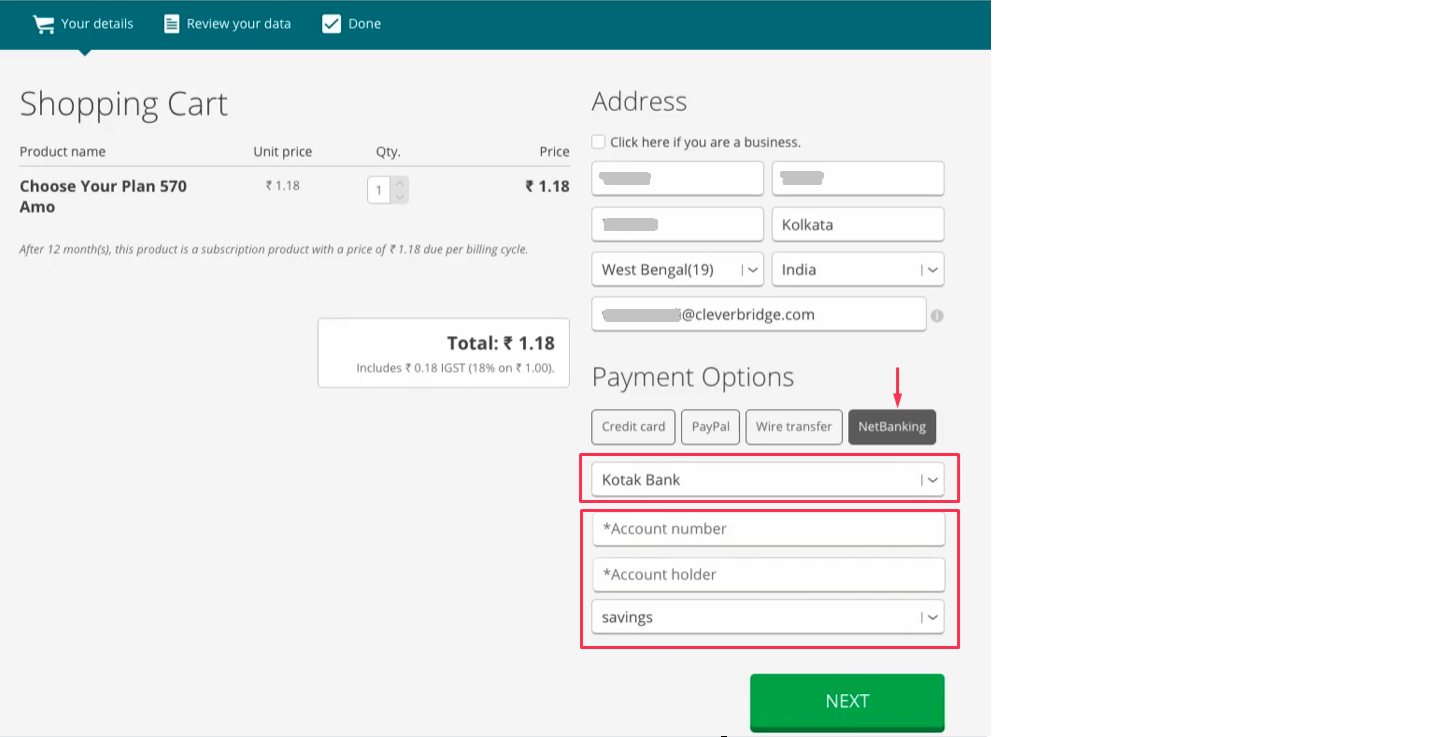
On the Cleverbridge checkout, select NetBanking, choose your bank, and enter the account number, account holder's name, and account type.
-
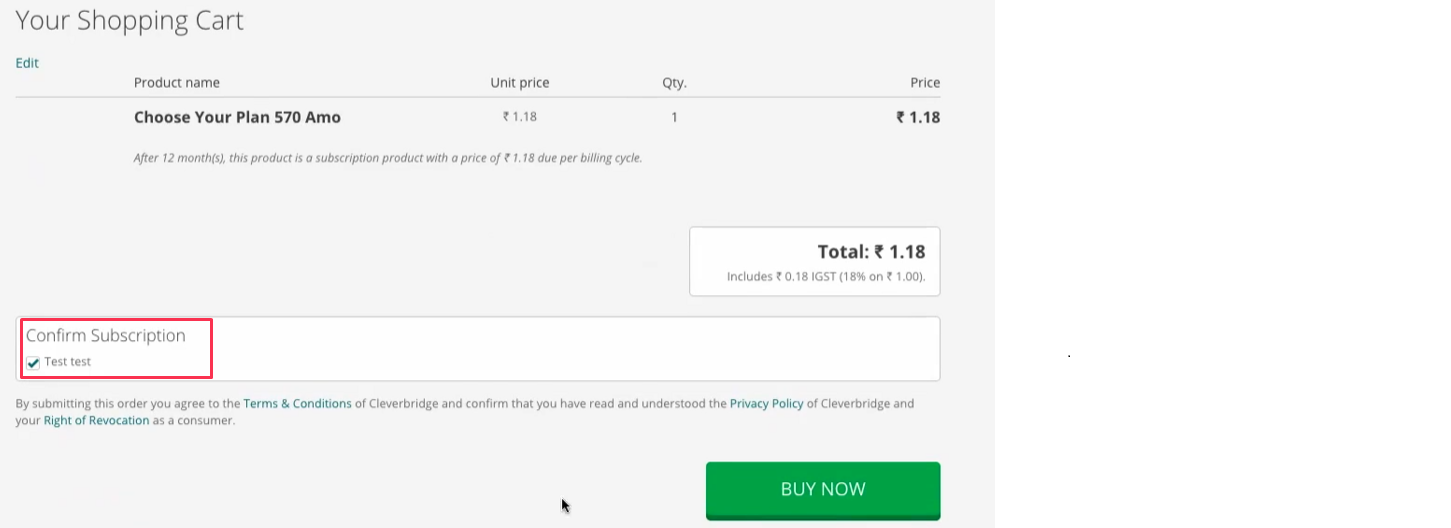
Review the subscription and confirm the order. Cleverbridge creates the purchase with the status Awaiting Offline Payment.
-
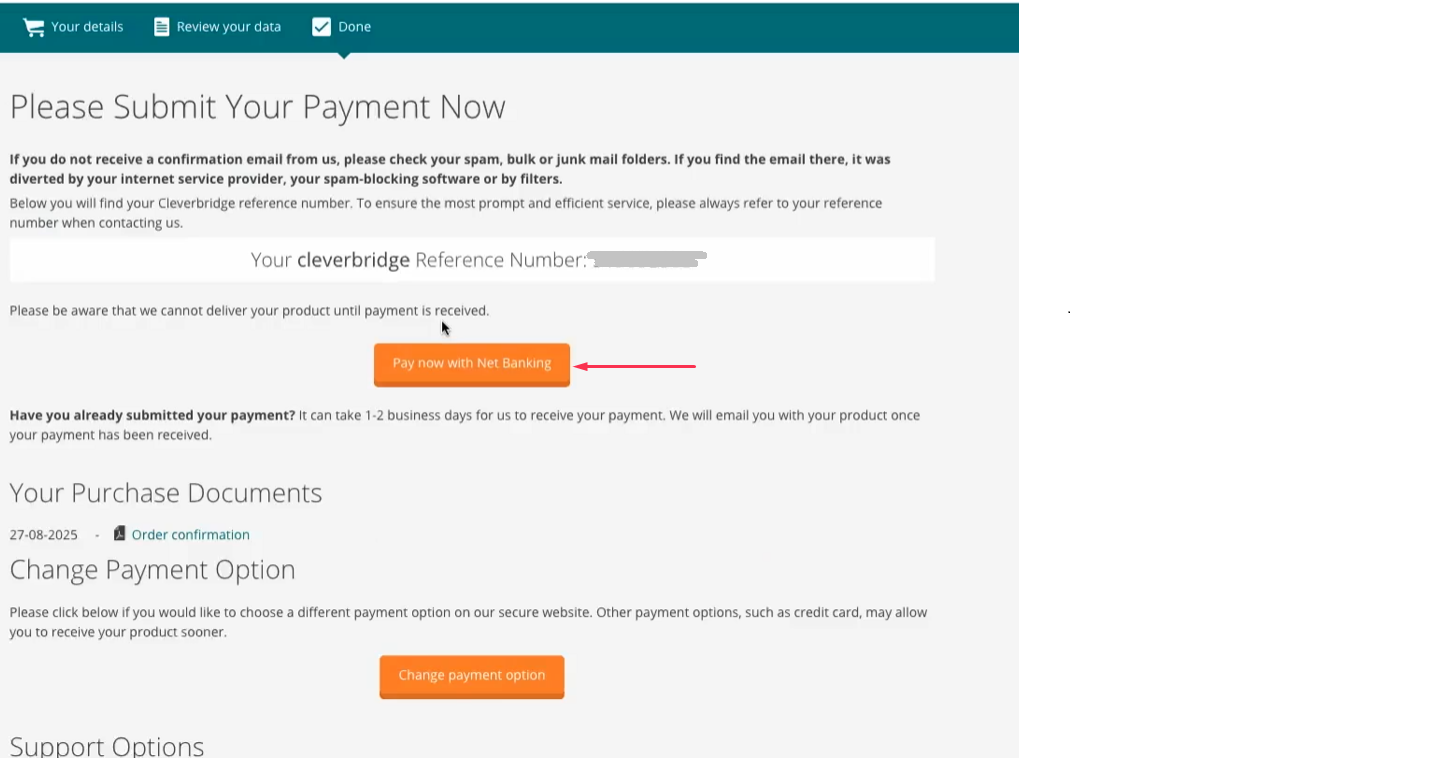
Select the option to submit the payment.
-
Cleverbridge redirects you through the National Payments Corporation of India (NPCI) page used for mandate processing.
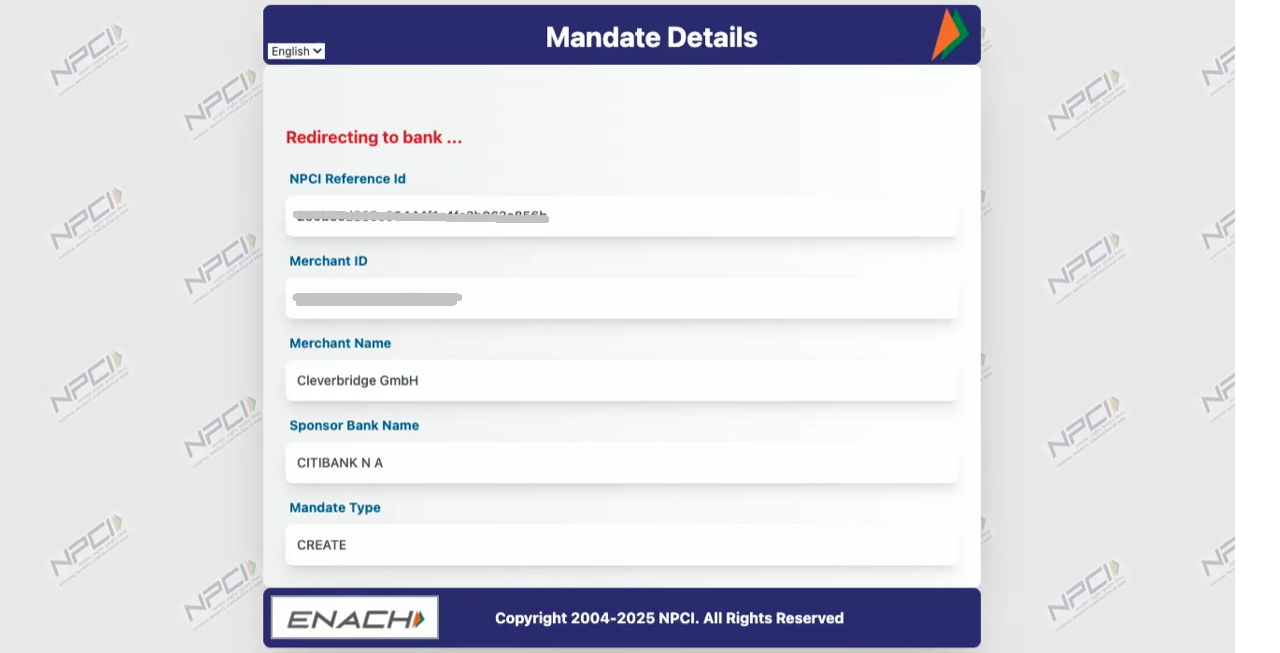
-
On your bank's portal, sign in and approve the mandate and payment. The mandate amount can be higher than the initial subscription price to allow future price changes.
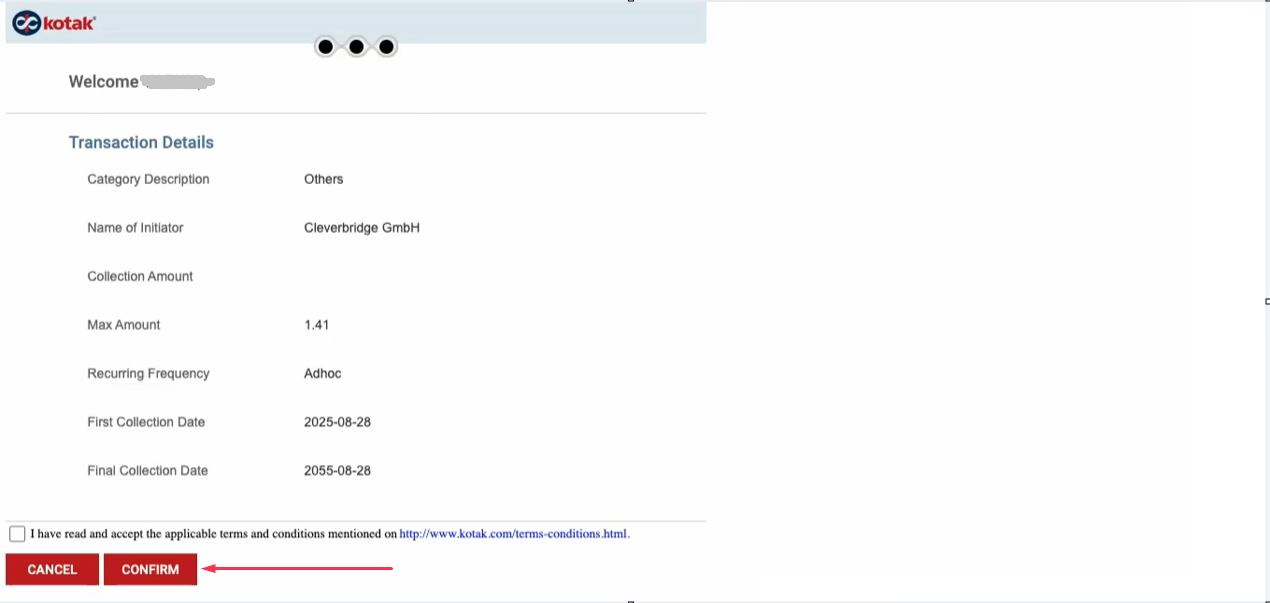
-
After the bank accepts the mandate, NPCI displays a Mandate Accepted message and the Unique Mandate Reference Number (UMRN). No action is required on this page.
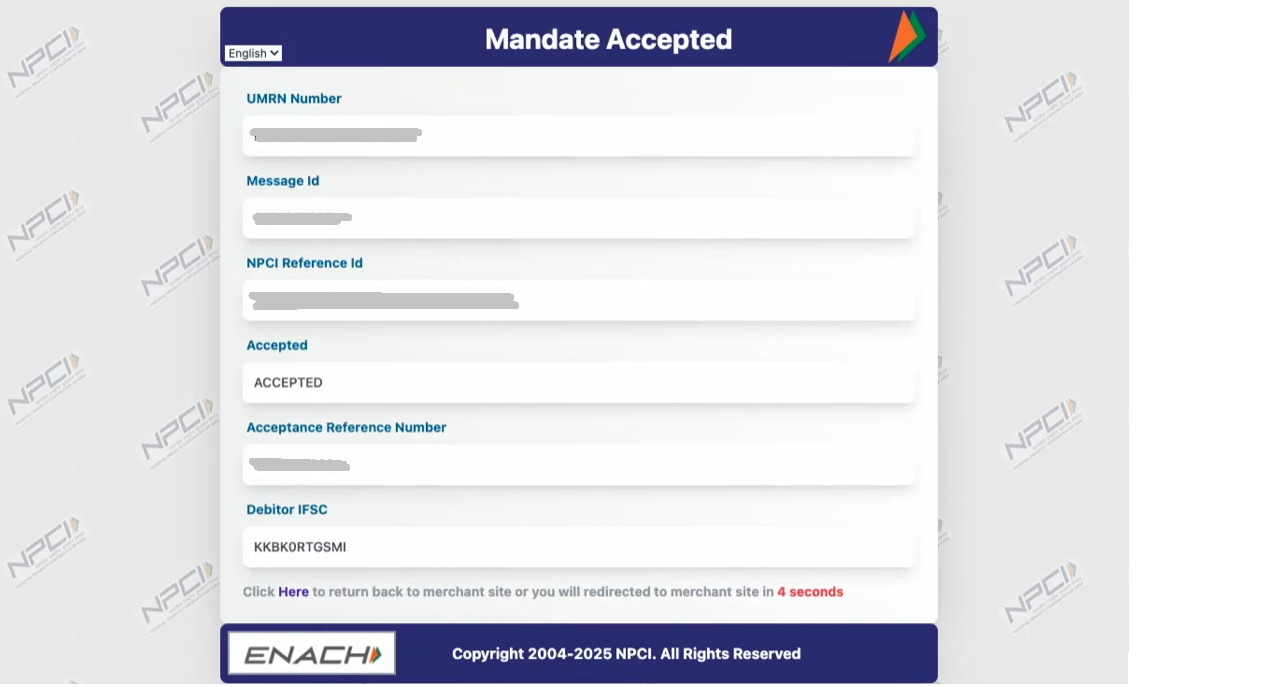
-
Cleverbridge returns you to the purchase confirmation page. The order remains Awaiting Offline Payment while the payment is reported and settled. Do not submit the payment again during this period because that can cause a duplicate debit.
-
After settlement, Cleverbridge updates the purchase to Paid.
What happens at renewal
- If an active eNACH mandate exists, Cleverbridge can submit the renewal automatically.
- If you canceled the mandate through your bank, the renewal payment is declined.
- If no mandate exists, complete the renewal manually. The mandate created during that payment can then be used for future renewals.
NPCI describes an e-mandate as an authorization that a customer approves through the bank and that can be used for future debits. See the NPCI NACH procedural guidelines for general scheme information.
Refunds
One-time Net Banking refunds use the standard Cleverbridge refund process and are returned to the original payment method after provider confirmation.
For an eNACH subscription payment, contact Cleverbridge Customer Support. The payment provider does not currently support the standard automated refund flow for these transactions.